Employee Scheduling Guide: 7 Steps to Better Coverage
Employee scheduling guide: build for the full operating day.
This employee scheduling guide explains how to plan staffing demand, collect availability, assign qualified employees, review coverage and labor risk, publish the schedule, and manage the changes that follow. Use it as a manual process, then automate the parts that become difficult to maintain.
Jump to a section
Select a section below to move directly to it.
What a dependable employee schedule must accomplish.
A schedule is not complete just because every shift contains a name. It must match operating demand, place qualified employees into required work, respect availability and approved time off, surface labor risk, and remain usable when changes happen.
A reliable schedule begins with operating requirements.
An employee schedule is a staffing plan, not merely a calendar. Before assigning names, define what work must be covered, when it occurs, where it happens, and which employees are qualified to perform it.
Starting with employee availability alone often produces a schedule that looks complete but leaves important roles, responsibilities, or service periods uncovered.
A dependable schedule must satisfy both. It should place eligible employees into the work the operation actually requires without creating avoidable conflicts, overtime, or coverage gaps.
What work must be covered?
List operating hours, workload patterns, service areas, locations, opening and closing duties, and any work that must always have an owner.
Which roles and qualifications are needed?
Define the role, skill, certification, location access, equipment knowledge, or responsibility required for each assignment.
When can each employee work?
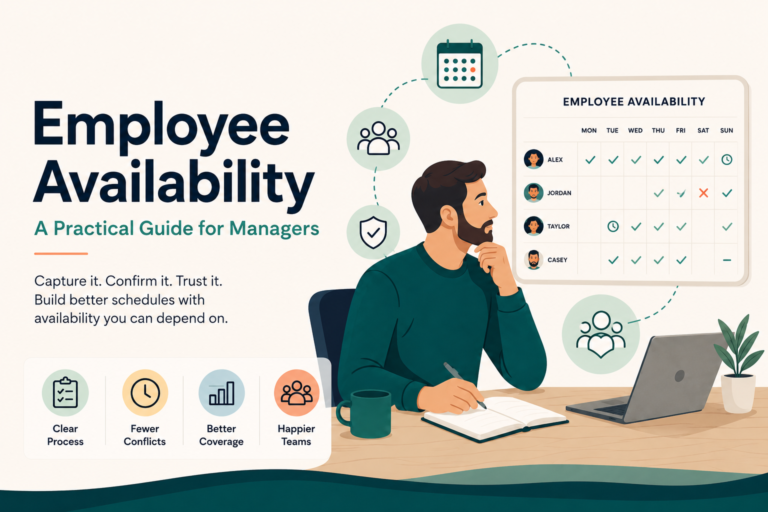
Gather recurring availability, approved time off, maximum hours, preferred hours, location assignments, and known restrictions.
What constraints affect the decision?
Include rest periods, overtime thresholds, minimum staffing, approval rules, scheduling policies, and applicable labor requirements.
A seven-step employee scheduling process.
Work through these steps in order. A spreadsheet, shared document, or paper worksheet can support the process when the workforce is small and the operating rules are straightforward.
Document staffing requirements
Create a coverage plan before assigning employees. For each day and time block, document the location, role, number of people required, qualifications, and responsibilities.
- Separate minimum coverage from preferred coverage.
- Identify opening, closing, handoff, and on-call responsibilities.
- Note predictable demand peaks and quieter periods.
Gather current employee information
Use a consistent deadline and format for availability and time-off requests. Record role eligibility, location assignments, hour limits, and recurring constraints in the same worksheet.
- Do not treat preferred availability as guaranteed availability.
- Record approvals rather than relying on text threads or memory.
- Date the information so managers know whether it is current.
Create the first schedule
Start with the hardest-to-fill work: qualified roles, opening and closing responsibilities, peak periods, and locations with limited staffing. Add flexible assignments afterward.
- Assign eligible employees, not merely available employees.
- Track scheduled hours as assignments are added.
- Keep a visible list of work that remains uncovered.
Filling empty calendar cells before confirming role and qualification requirements can produce a schedule that looks full but is not operationally covered.
Evaluate the complete schedule
Review the schedule by day, location, role, and employee. Look for gaps, double-booking, unbalanced workloads, missing responsibilities, overtime exposure, and insufficient rest.
Resolve exceptions before publishing
Document any manager decisions involving coverage compromises, overtime, pending time off, role substitutions, or unfilled work. Confirm who owns each unresolved item.
Share one current schedule
Publish through one agreed channel, include the effective date, and explain how employees should acknowledge assignments or request a correction. Avoid maintaining competing copies.
Always identify the effective date and current version. Competing copies are one of the fastest ways to create missed shifts, confusion, and avoidable employee frustration.
Manage the schedule after publication
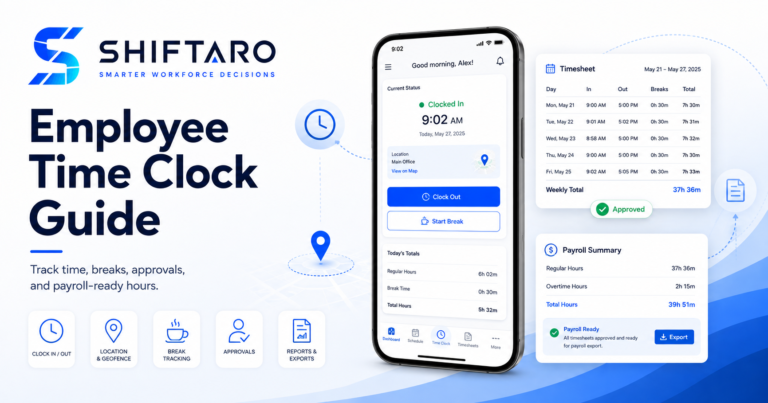
Track callouts, swaps, open shifts, late arrivals, attendance exceptions, and task ownership. Update the source schedule and notify everyone affected by each approved change.
Build coverage before assigning names.
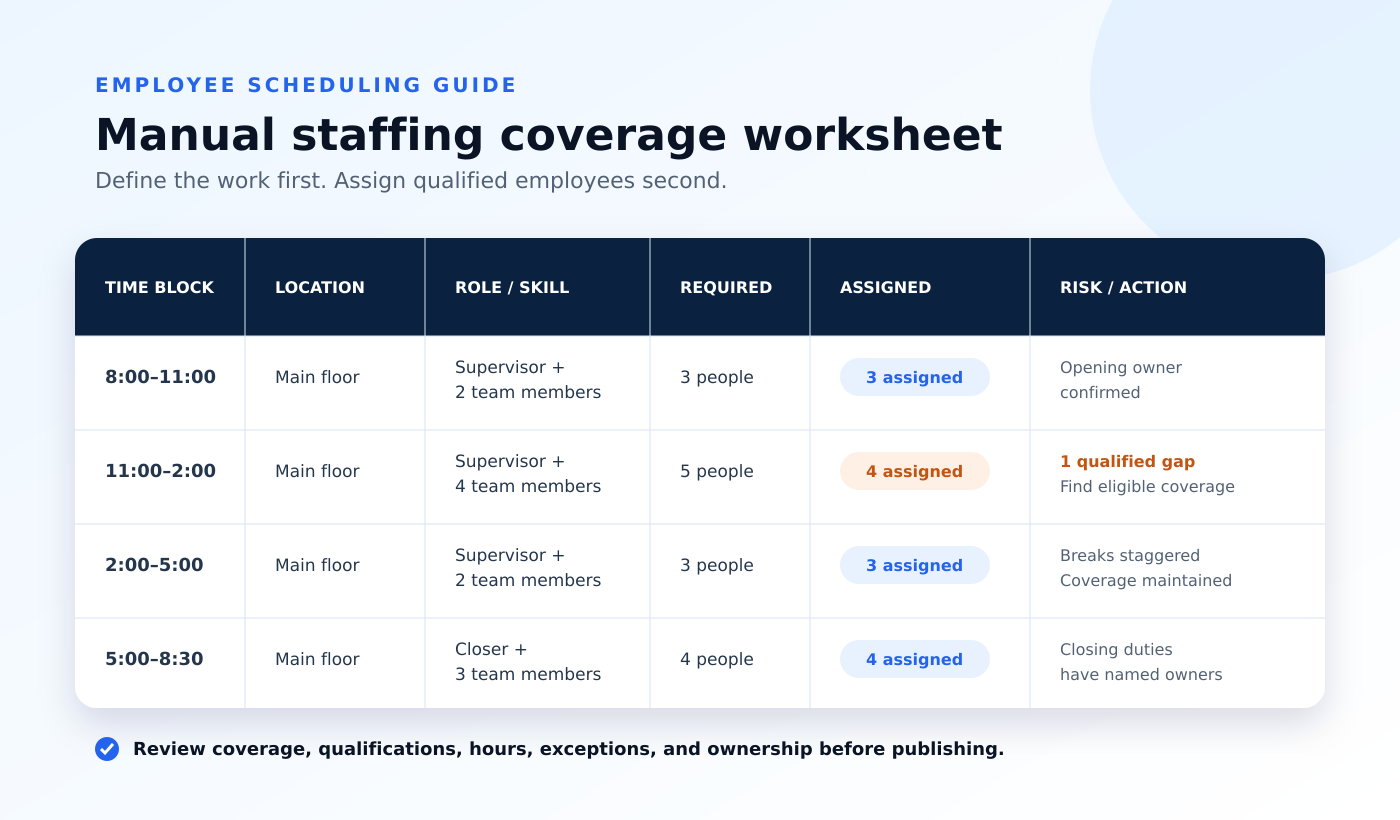
Consider a business open from 8:00 a.m. to 8:00 p.m. The manager expects the highest demand from 11:00 a.m. to 2:00 p.m. and again from 5:00 p.m. to 7:00 p.m.
| Time block | Required coverage | Key responsibilities | Scheduling concern |
|---|---|---|---|
| 8:00–11:00 | 1 supervisor, 2 team members | Opening, setup, early service | At least one approved opener |
| 11:00–2:00 | 1 supervisor, 4 team members | Peak service and handoffs | Qualified coverage matters more than total headcount |
| 2:00–5:00 | 1 supervisor, 2 team members | Service, tasks, breaks | Stagger breaks without losing minimum coverage |
| 5:00–7:00 | 1 supervisor, 4 team members | Second demand peak | Avoid relying on employees whose earlier shift may run late |
| 7:00–8:30 | 1 closer, 2 team members | Closing, reconciliation, handoff | Closing duties need named owners |
Manual assignment order
The manager should not begin by filling the first empty calendar cell. A stronger order is:
- Assign the qualified supervisor or lead for every time block.
- Fill opening and closing responsibilities with approved employees.
- Cover the two peak periods with qualified team members.
- Add off-peak coverage and stagger breaks.
- Calculate hours and review overtime, rest, fairness, and remaining gaps.
Simple worksheet columns
Date · Start time · End time · Location · Role · Qualification · Required headcount · Assigned employee · Scheduled hours · Responsibility · Approval status · Notes
Put the employee scheduling guide into practice.
Use Shiftaro’s free Employee Schedule Builder to create a practical weekly schedule without starting from a blank spreadsheet.
Create, calculate, brand, and print a weekly schedule.
Add employees and shifts, calculate regular and overtime hours, include your company name and logo, and print or save the completed schedule.
Supervisor
8–4
8–4
Team Member
10–6
Off
Respond to changes without losing the operating picture.
A schedule is rarely static. The goal is not to prevent every change; it is to handle each change without losing coverage, context, or accountability.
Record the exception
Capture the callout, absence, late arrival, requested swap, or newly uncovered responsibility in the source record.
Review the full impact
Check the affected role, time period, location, remaining staffing, qualifications, overtime exposure, tasks, and downstream handoffs.
Choose an eligible replacement
Contact employees who are both available and qualified. Record who was offered the work and whether manager approval is required.
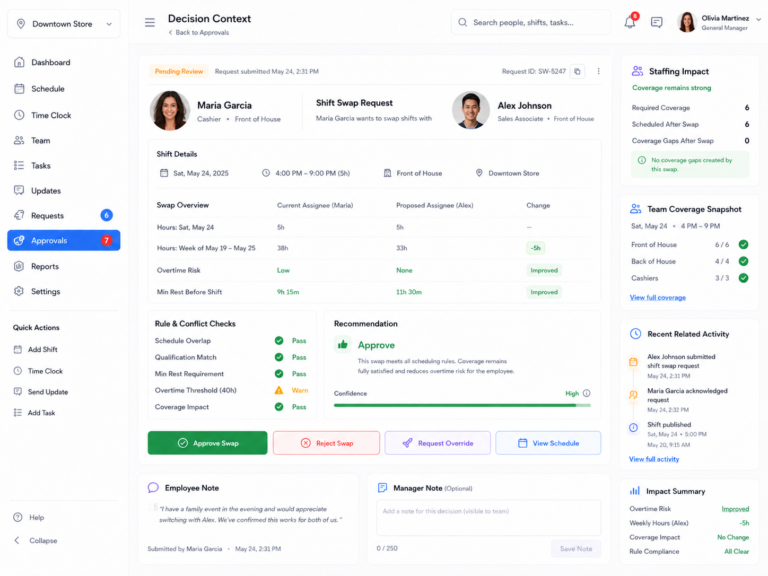
Do not approve a replacement based on availability alone. Recheck qualifications, scheduled hours, overtime exposure, rest windows, overlap, and downstream coverage.
Change the source schedule
Update the assignment, notify affected employees, reassign responsibilities and tasks, and confirm that coverage is restored.
Manual follow-through becomes difficult when changes happen frequently.
Shiftaro connects open work, eligible employee coverage, manager approval, schedule updates, communication, responsibilities, attendance visibility, and multi-location context so a manager does not have to rebuild the decision across separate tools.
Connect each scheduling decision to the workflow that carries it forward.
Select a workflow below to see how Shiftaro supports the same process described in this guide—from building the first schedule to restoring coverage and reviewing exceptions.
Build with operating context visible.
Managers can create the schedule while seeing coverage, qualifications, employee hours, overtime exposure, rest risk, and overlapping assignments.
- Required role and qualification visibility
- Coverage gaps and open work
- Overtime and minimum-rest warnings
- One current schedule for employees and managers
Fill open work without rebuilding the decision in text messages.
Eligible employees can see open work, request coverage, and move through manager approval while the schedule remains the source of truth.
- Qualified employee targeting
- Open-shift notifications
- Employee claims and direct offers
- Automatic schedule update after approval
Review the full impact before approving a change.
Managers can see hours before and after, overtime risk, rest windows, overlap, qualifications, and schedule impact in one decision view.
- Decision context in one place
- Risk severity and recommendation
- Documented manager actions
- Consistent approval workflow
See when the operating day stops matching the plan.
Late arrivals, missed punches, open punches, callouts, and attendance exceptions remain connected to the schedule and manager follow-through.
- Late clock-in visibility
- Missed break and open-punch exceptions
- Coverage impact
- Manager correction and approval status
Check the schedule before employees depend on it.
Complete this review before publishing a new schedule or approving a material staffing change. Select each checkbox as you complete the review.
To clear your selections, uncheck the boxes or refresh the page.
Measure whether the schedule actually works.
A schedule is successful when it supports the operation—not merely when every calendar cell contains a name. Review a small set of measures consistently.
Required hours or roles that remained unfilled at publication or during the operating day.
Assignments changed after publication, including the reason and how much notice employees received.
Scheduled and actual hours approaching or exceeding the organization’s overtime threshold.
Late arrivals, missed punches, absences, and other exceptions affecting planned coverage.
The percentage of originally published assignments that remained unchanged.
Tasks, handoffs, or closing work left incomplete because ownership or staffing was unclear.
For U.S. employers, scheduled hours are not always identical to compensable hours. Review the U.S. Department of Labor’s guidance on hours worked, along with applicable state and local requirements. This guide is operational guidance, not legal advice.
Know when manual scheduling has reached its limit.
Manual scheduling can work well for a small team with predictable demand, limited qualifications, and few changes. Software becomes valuable when maintaining the process consumes too much manager time or important operating context is repeatedly lost.
Stable, straightforward operations
One location, a small team, predictable roles, infrequent changes, and a manager who can review the complete operation easily.
Complexity is becoming operational risk
Multiple locations, role or qualification requirements, frequent callouts, open shifts, manager approvals, overtime risk, attendance exceptions, and fragmented communication.
Shiftaro supports the process described in this guide.
Instead of replacing sound scheduling judgment, Shiftaro brings schedules, qualified coverage, availability, time off, approvals, attendance exceptions, tasks, communication, mobile access, and multi-location visibility into one workforce operations decision layer.
Frequently asked questions.
How far in advance should an employee schedule be published?
Publish as early and consistently as the operation allows. The appropriate notice period depends on the business, workforce, local requirements, and how predictable demand is. Use a defined scheduling cycle and communicate exceptions promptly.
Should employee availability determine the schedule?
Availability is an important input, but it should not be the only input. The schedule must also cover operating demand, required roles, qualifications, responsibilities, approved time off, labor constraints, and manager decisions.
How should managers handle employee shift swaps?
Require employees to submit swaps through a consistent process. Before approval, confirm both employees are eligible, the replacement does not create overtime or another conflict, and affected responsibilities remain covered.
What is the difference between coverage and headcount?
Headcount measures how many people are scheduled. Coverage considers whether the scheduled employees collectively satisfy the required roles, qualifications, locations, responsibilities, and time periods.
When should a business use employee scheduling software?
Consider software when the manual process requires repetitive data entry, frequent reconciliation across tools, or manager memory to maintain coverage, approvals, communication, attendance visibility, and follow-through.
Does scheduling software replace manager judgment?
No. Effective software should make relevant context visible and carry approved decisions through the operation. Managers still determine staffing requirements, evaluate tradeoffs, and approve changes.
Start manually. Move to Shiftaro when the operation becomes harder to hold together.
Use the free builder for a printable weekly schedule, or explore how Shiftaro connects scheduling, coverage, approvals, communication, time tracking, tasks, and daily operating visibility.