
Manager Command Center
Workforce management dashboard for frontline managers
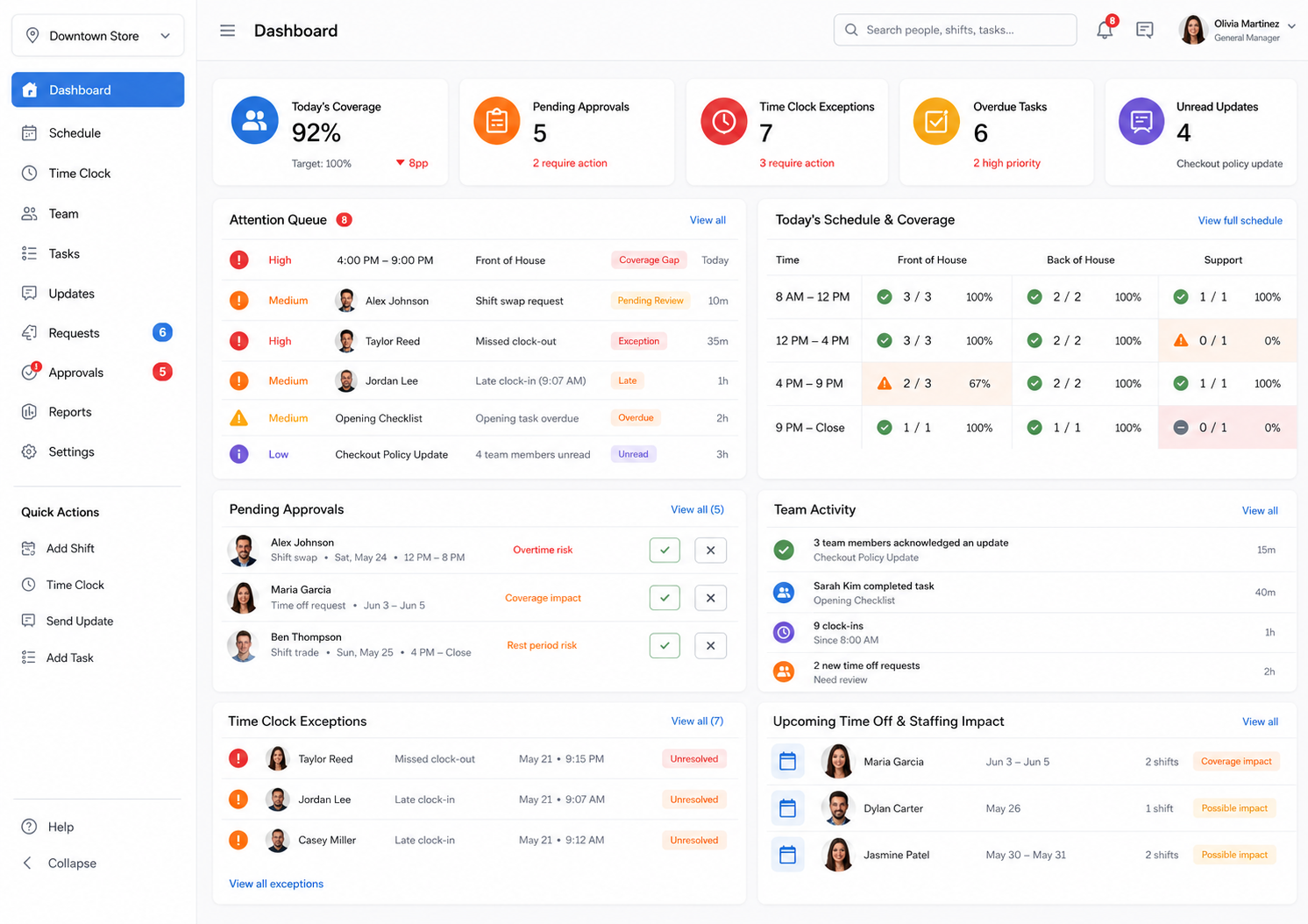
This workforce management dashboard gives managers one place to see the coverage gaps, approvals, time clock exceptions, task follow-up, unread updates, schedule changes, and team activity that need attention before they turn into operational problems.
The manager problem
Managers are not short on tools. They are short on visibility.
A workforce management dashboard should help managers run the day, not just report on it later. When schedules, callouts, coverage requests, employee updates, task follow-up, time off, and time clock issues live in separate places, frontline managers are forced to hunt for problems instead of running the operation.
Open shifts and staffing gaps are easy to miss until the shift is already at risk.
Managers need to know the impact of a decision, not just whether a request is pending.
Late arrivals, missed clock-outs, and task delays can create operational drag fast.
Updates, acknowledgements, and tasks need visibility after they are sent.
One operating view
See what needs action now
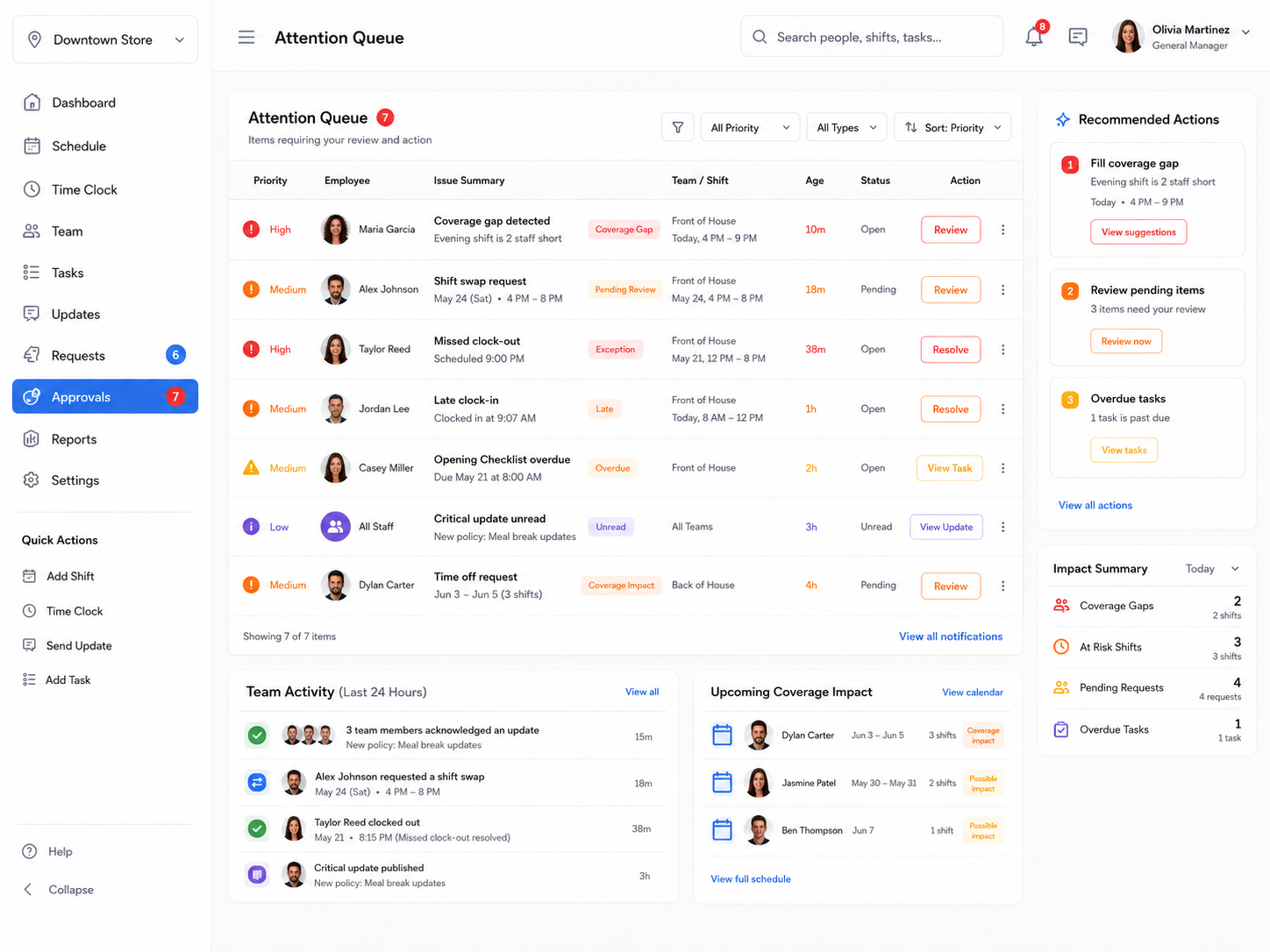
The Manager Command Center turns daily workforce activity into an attention queue. This workforce management dashboard helps managers quickly see what needs review, resolution, or follow-up across schedules, coverage, approvals, attendance, updates, and tasks.
- ✓Prioritize coverage gaps, shift swaps, missed punches, late arrivals, and overdue tasks.
- ✓Filter operational work by priority, type, employee, team, shift, and status.
- ✓Keep managers focused on the next best action instead of making them dig through separate modules.
Decision context
Not just alerts. Operational decision context.
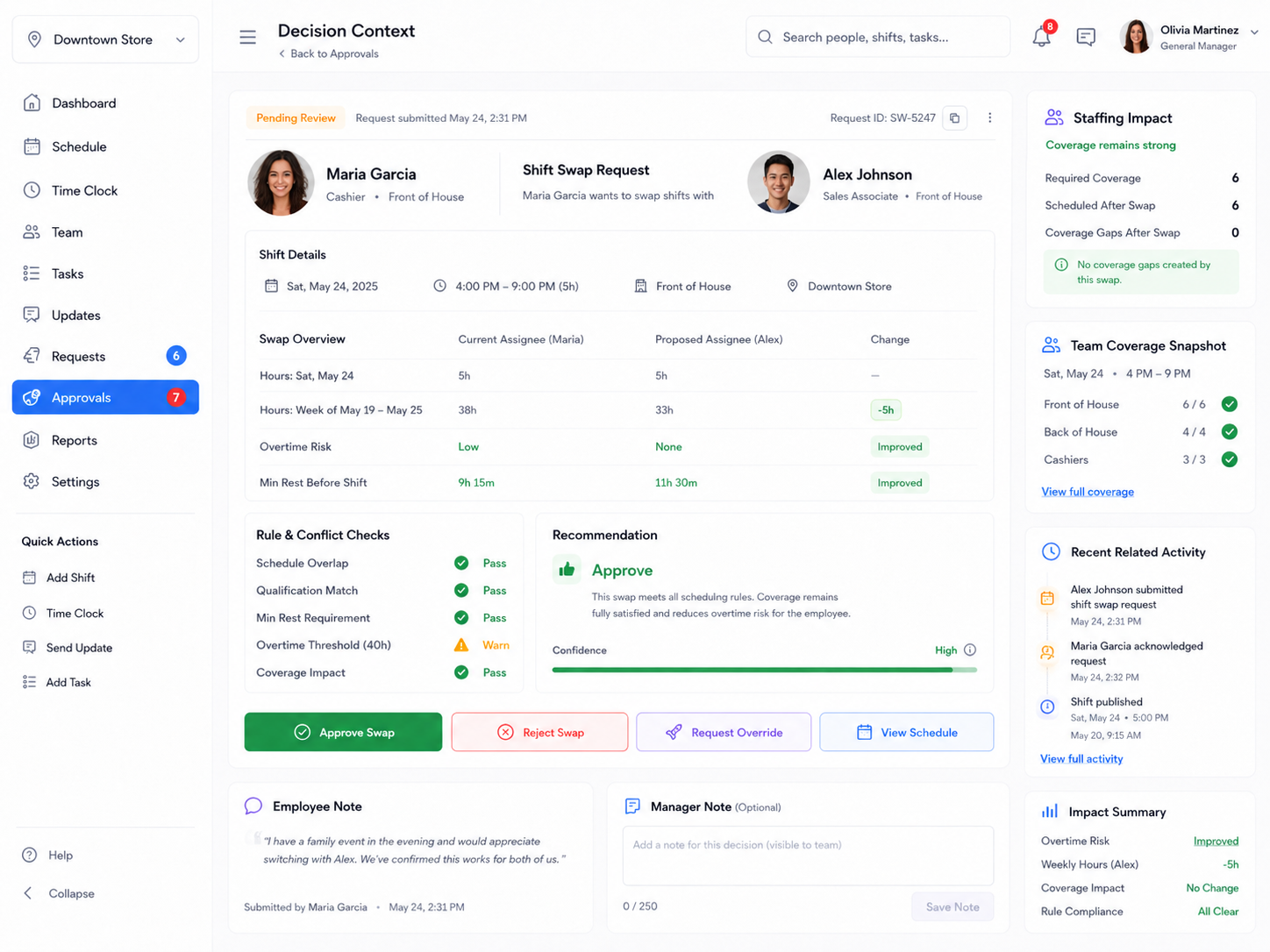
A dashboard should do more than say something is pending. Shiftaro helps managers understand what happens if they approve, reject, or review a workforce action.
- ✓Show hours before and after a shift change, swap, or approval.
- ✓Surface overtime risk, minimum rest checks, overlap checks, qualification checks, and coverage impact.
- ✓Give managers a clear recommendation while keeping the final decision in their control.
Daily operations health
Know whether today’s operation is healthy, at risk, or falling behind
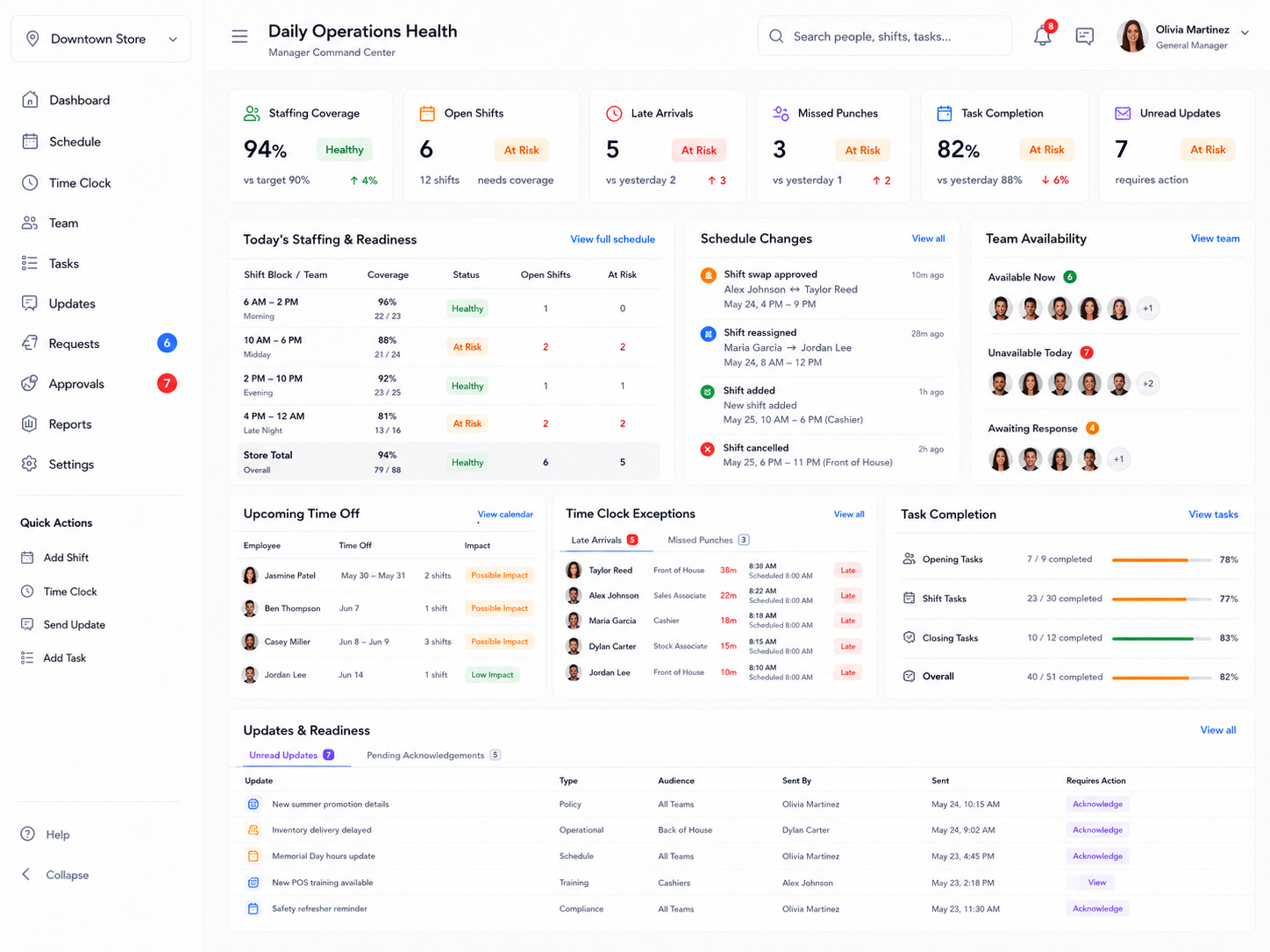
Shiftaro gives managers a practical daily health view across staffing coverage, open shifts, late arrivals, missed punches, task completion, unread updates, team availability, time off, and schedule changes.
- ✓Monitor staffing readiness by shift block, team, or location.
- ✓Track time clock exceptions and attendance issues before payroll cleanup becomes a mess.
- ✓See update acknowledgements, task completion, and team availability in one place.
Built for frontline work
A workforce operations dashboard, not a passive reporting screen
Traditional dashboards often tell leaders what happened after the fact. This workforce management dashboard is designed for frontline managers who are actively running today’s operation: handling callouts, approving changes, tracking tasks, answering team questions, and keeping shifts covered.
Coverage, attendance, tasks, updates, approvals, time off, and schedule changes in one manager view.
Managers can move from signal to decision without bouncing between separate tools.
Approval context can reflect scheduling rules, rest requirements, overtime risk, and coverage impact.
See whether employees acknowledged updates, completed tasks, responded to requests, or need follow-up.
Connected platform
Connected to the workforce tools managers already use inside Shiftaro
The Manager Command Center becomes more powerful because it is connected to the operating system around it: scheduling, coverage, approvals, time clock, tasks, updates, communication, time off, and team records.
FAQ
Manager Command Center FAQs
What is a workforce management dashboard?
A workforce management dashboard gives managers a central place to monitor staffing, schedules, approvals, time clock exceptions, tasks, updates, and team activity. Shiftaro focuses the dashboard on daily operational action, not just reporting.
How does Shiftaro help frontline managers?
Shiftaro helps frontline managers see what needs attention across schedules, coverage, approvals, tasks, updates, time clock issues, time off, and team communication so they can respond faster and make better workforce decisions.
Is the Manager Command Center only for scheduling?
No. Scheduling is part of it, but the Manager Command Center also brings together coverage gaps, approval requests, time clock exceptions, overdue tasks, unread updates, upcoming time off, and team activity.
Can managers see approvals, coverage gaps, and time clock issues together?
Yes. The Manager Command Center is designed to surface these operational signals together so managers do not have to jump between disconnected tools to understand what is happening.
How is this different from a reporting dashboard?
A reporting dashboard usually summarizes what happened. Shiftaro is designed as an operating dashboard that helps managers see current risks, understand decision context, and take action during the day.
Does Shiftaro work for deskless and mobile teams?
Yes. Shiftaro is built for deskless and frontline teams where managers need visibility into daily coverage, availability, communication, tasks, and follow-through across a mobile workforce.
Can managers use this alongside the mobile workforce app?
Yes. The Manager Command Center gives managers a broader operating view, while the mobile workforce app gives employees and managers access to schedules, time clock, tasks, updates, chat, directory, time off, and coverage actions from the field.
Does the dashboard connect to rules and approval context?
Yes. Shiftaro’s decision context can surface rule checks such as overtime risk, minimum rest, coverage impact, schedule overlap, and qualification checks so managers have better information before taking action.
Give frontline managers one place to run the day
Use a workforce management dashboard that brings schedules, coverage, approvals, tasks, updates, time clock exceptions, time off, and team visibility into one workforce operations layer.