
Employee Directory Software to Find the Right Person Fast
Employee directory software should make it easy to find the right employee, manager, vendor, contractor, or approved work contact from one searchable place.
Shiftaro gives teams a clean employee directory app with searchable profiles, team and location filters, quick contact actions, mobile access, and visibility controls for the people your operation depends on.
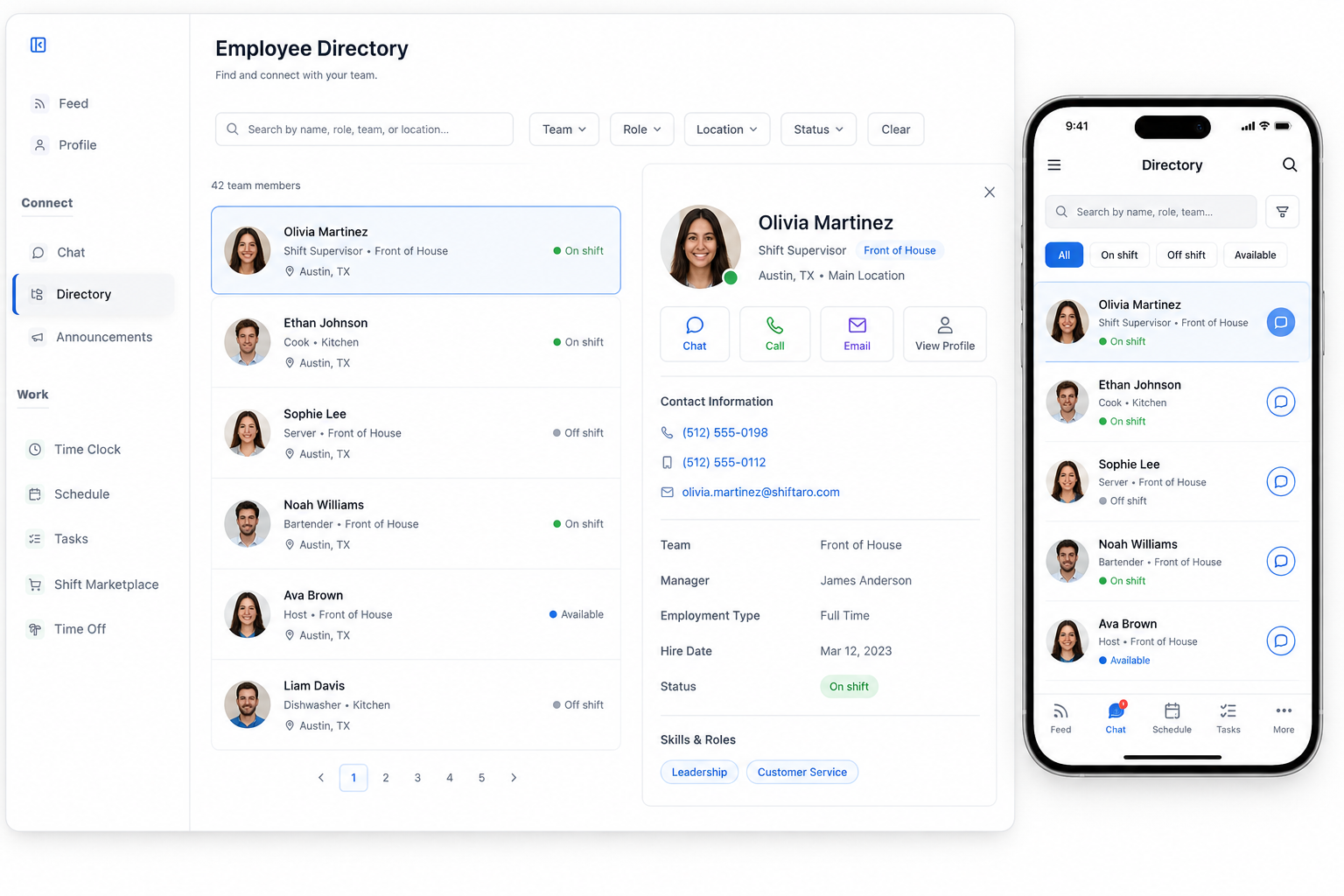
Finding the Right Person Should Not Slow Down the Workday
Shift-based teams need fast access to coworkers, managers, contractors, vendors, emergency contacts, and service providers. When contact details live in texts, spreadsheets, bulletin boards, and old phone lists, simple questions turn into delays.
Shiftaro’s employee directory software gives your team one reliable company directory app for searching people and approved work contacts when they need help, coverage, answers, or follow-up.
Without a connected directory, teams deal with:
Search Employees by Name, Role, Team, Location, or Status
Give employees and managers a searchable employee directory app that makes it easy to find the right person without digging through text threads or outdated spreadsheets.
Shiftaro helps teams filter by team, role, location, and status so employees can quickly identify who is on shift, available, assigned to a location, or part of the right team.
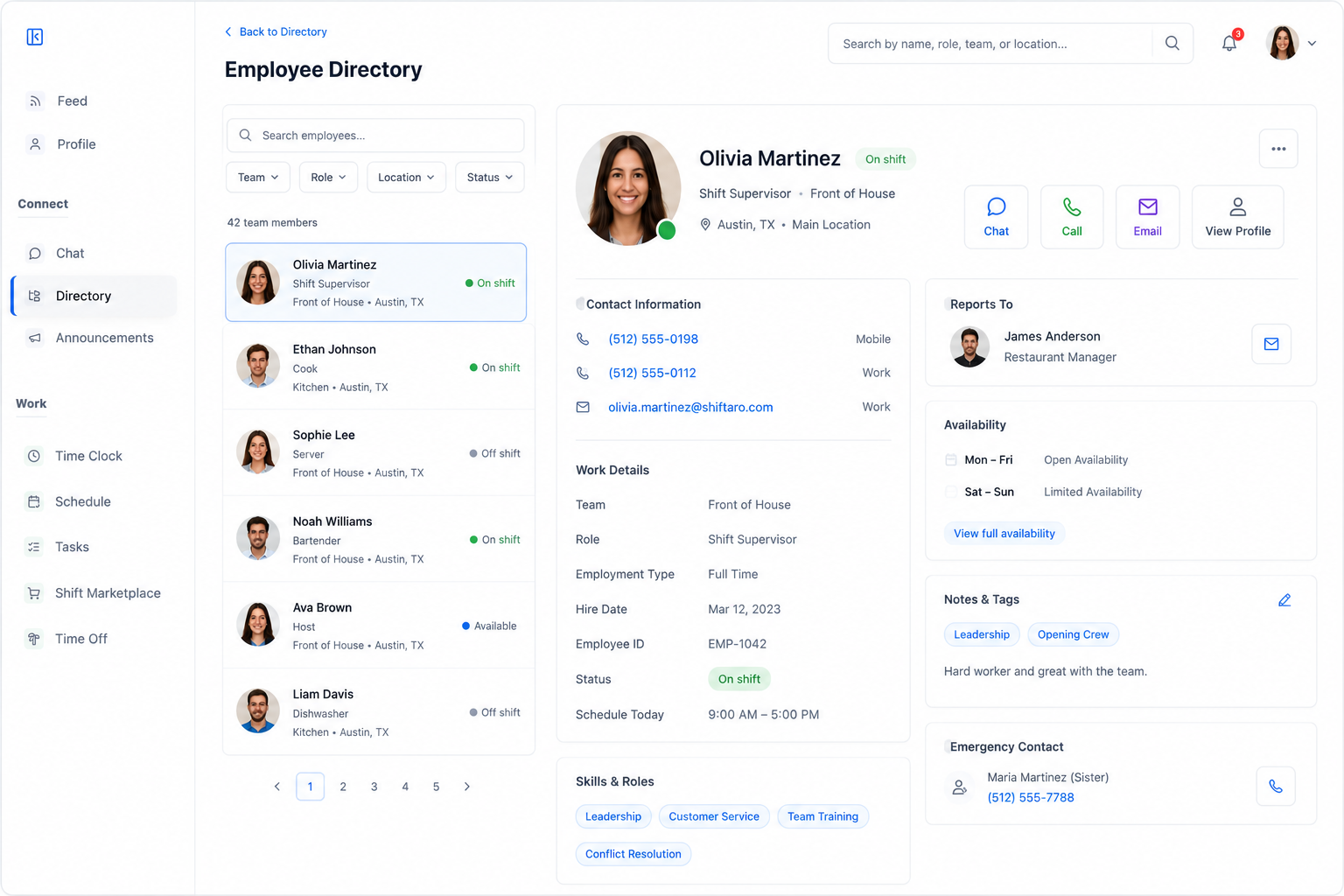
Open a Profile and Take the Right Action
A strong employee contact directory should do more than store names. Shiftaro helps teams open an employee profile, understand work context, and take the next action from the same screen.
For employees who are Shiftaro users, quick actions can include chat, call, email, and profile access. Managers can also view helpful context like team, location, reporting line, availability, tags, and emergency contact details.
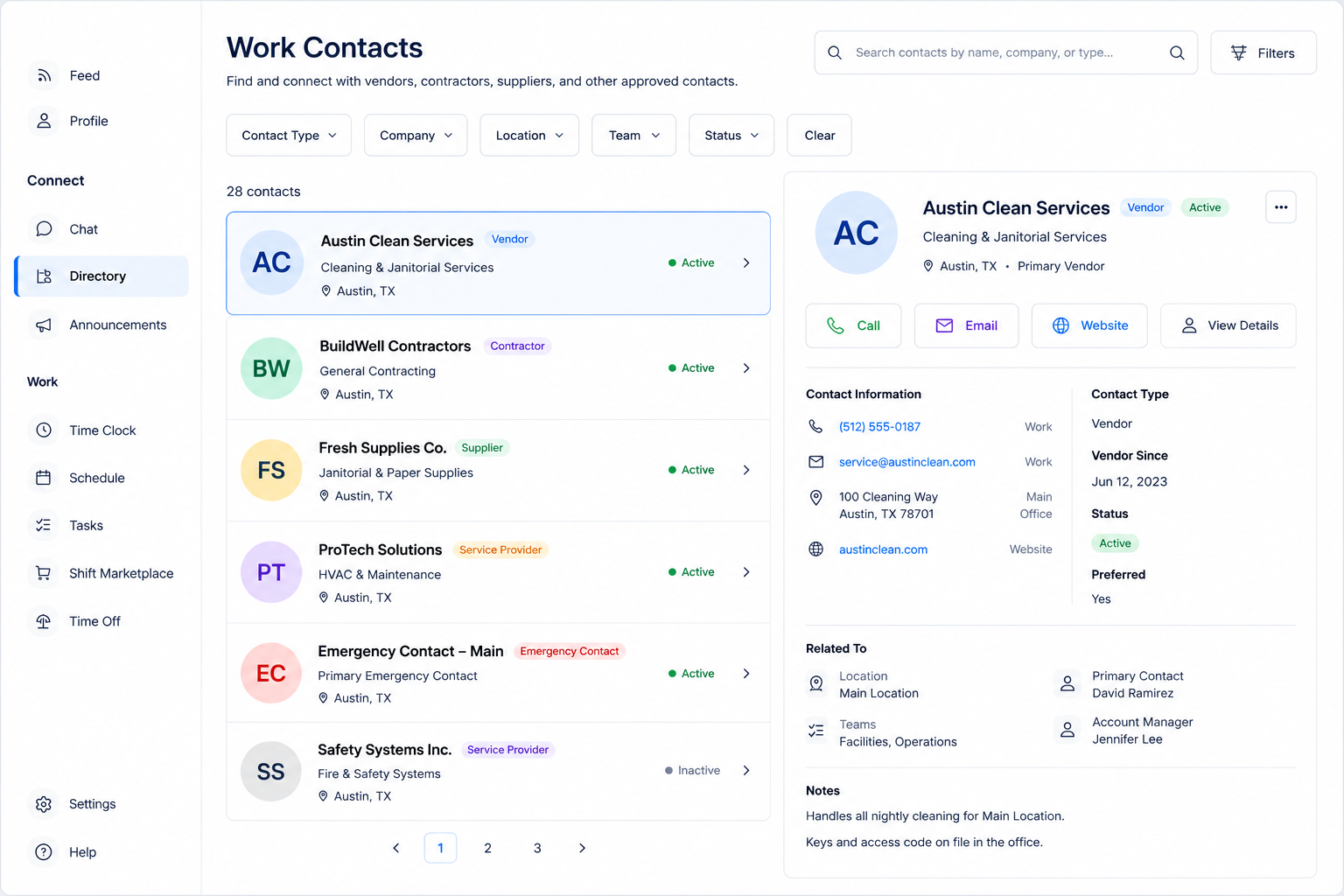
Add Non-Employee Work Contacts Too
Not every important work contact is an employee. Shiftaro can help teams store vendors, contractors, suppliers, service providers, emergency contacts, and other approved work contacts in the same searchable company directory app.
External contacts should not imply in-app chat if they are not Shiftaro users. For non-employee contacts, Shiftaro can support practical actions like call, email, website, and view details.
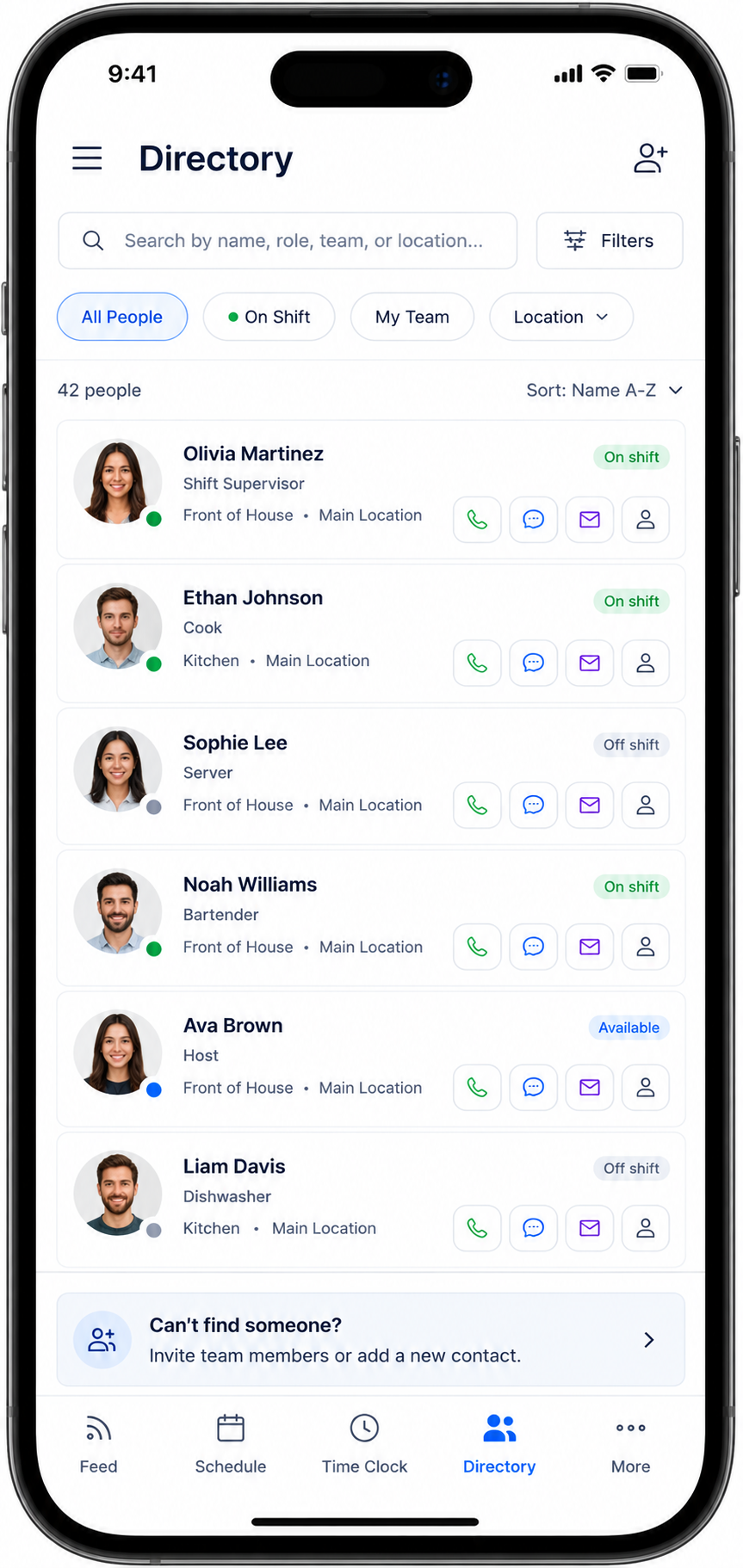
Give Employees a Mobile Directory They Can Use on the Go
Employees should be able to find coworkers, managers, and approved work contacts from their phone without asking around or searching through old messages.
Shiftaro’s mobile employee directory app helps employees search, filter, view status, and use quick contact actions while they are working across shifts, locations, and teams.
Control What Information People Can See
A company directory app needs to be useful without exposing more information than necessary. Shiftaro can support visibility controls so teams can decide what details are shown by role, team, location, or contact type.
Managers and admins can keep employee directory software practical for daily work while still protecting sensitive information and limiting access where appropriate.
Directory controls can help teams manage:
One Directory for Employees, Teams, and Work Contacts
Employee directory software works best when it is searchable, mobile, connected to communication, and practical for the way shift-based teams actually operate.
Give Your Team One Searchable Contact Directory
Use Shiftaro to centralize employee profiles, team filters, company contacts, mobile directory access, and quick contact actions in one place.
Employee Directory App for Teams That Need Fast Contact Access
Shiftaro helps teams keep employee and work contact information organized across shifts, locations, departments, roles, and teams.
Make Employee and Work Contacts Easy to Find
Use Shiftaro employee directory software to centralize searchable profiles, company contacts, quick actions, mobile access, and visibility controls.
Employee Directory Software FAQs
Quick answers about employee directory software, employee directory app features, company directory app use cases, contact details, mobile access, and non-employee work contacts in Shiftaro.
What is employee directory software?
Employee directory software is a searchable system for storing employee profiles, contact information, role details, team assignments, location details, status, and quick contact actions in one place.
Is Shiftaro an employee directory app?
Yes. Shiftaro includes employee directory app features for searchable profiles, team and location filters, status visibility, quick contact actions, mobile access, and work contact management.
Can Shiftaro store non-employee work contacts?
Yes. Shiftaro can support approved work contacts such as vendors, contractors, suppliers, service providers, emergency contacts, and other company contacts in the directory.
Can employees access the directory from mobile?
Yes. Shiftaro gives employees mobile directory access so they can search contacts, view role and team details, see status, and take quick contact actions from their phone.
Can external contacts use in-app chat?
External work contacts should not be shown as in-app chat users unless they have a Shiftaro account. For non-employee contacts, practical actions include call, email, website, and view details.
How does the employee directory connect with team communication?
The employee directory connects with Shiftaro’s team communication layer by helping employees find the right person, open profiles, start messages with internal users, and access related communication features like chat and updates.