
Daily Operations
Daily operations software for frontline teams
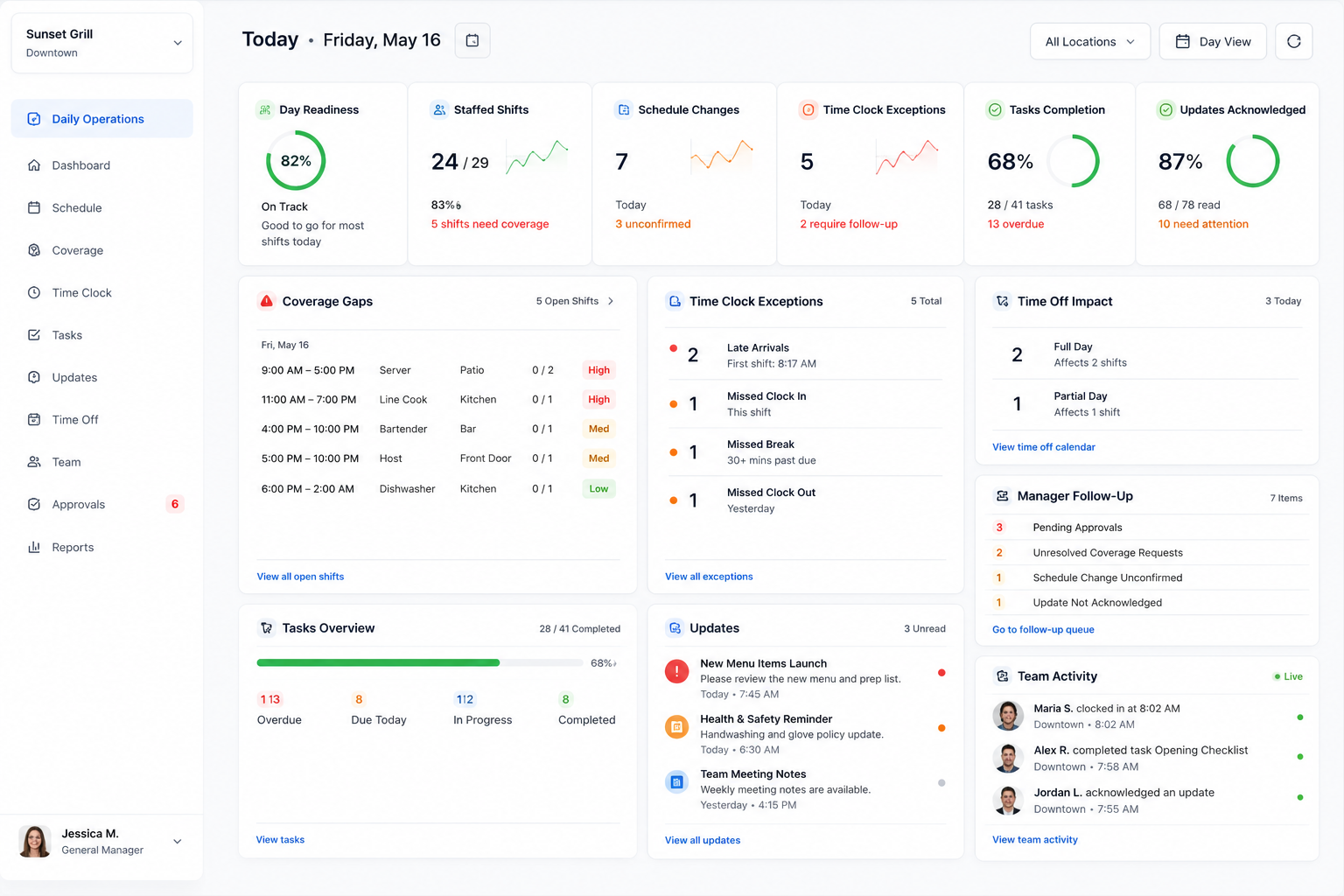
Run the workday from one place with daily operations software that gives managers visibility into schedules, coverage gaps, time clock exceptions, tasks, updates, acknowledgements, time off impact, schedule changes, and manager follow-through.
The daily operations problem
The workday breaks when daily signals live in different places
Daily operations software should help managers see what is changing before it becomes a shift-level problem. Schedules change, people call out, tasks get missed, updates go unread, and time clock issues stack up while managers are still trying to run the floor.
Open shifts, callouts, late arrivals, and time off impact can create staffing gaps during the actual day.
Managers need to know what was completed, what is overdue, and which updates still need acknowledgement.
Missed punches, pending approvals, schedule changes, and coverage requests need owners, status, and next actions.
Daily readiness
Know if today is ready before the first shift starts
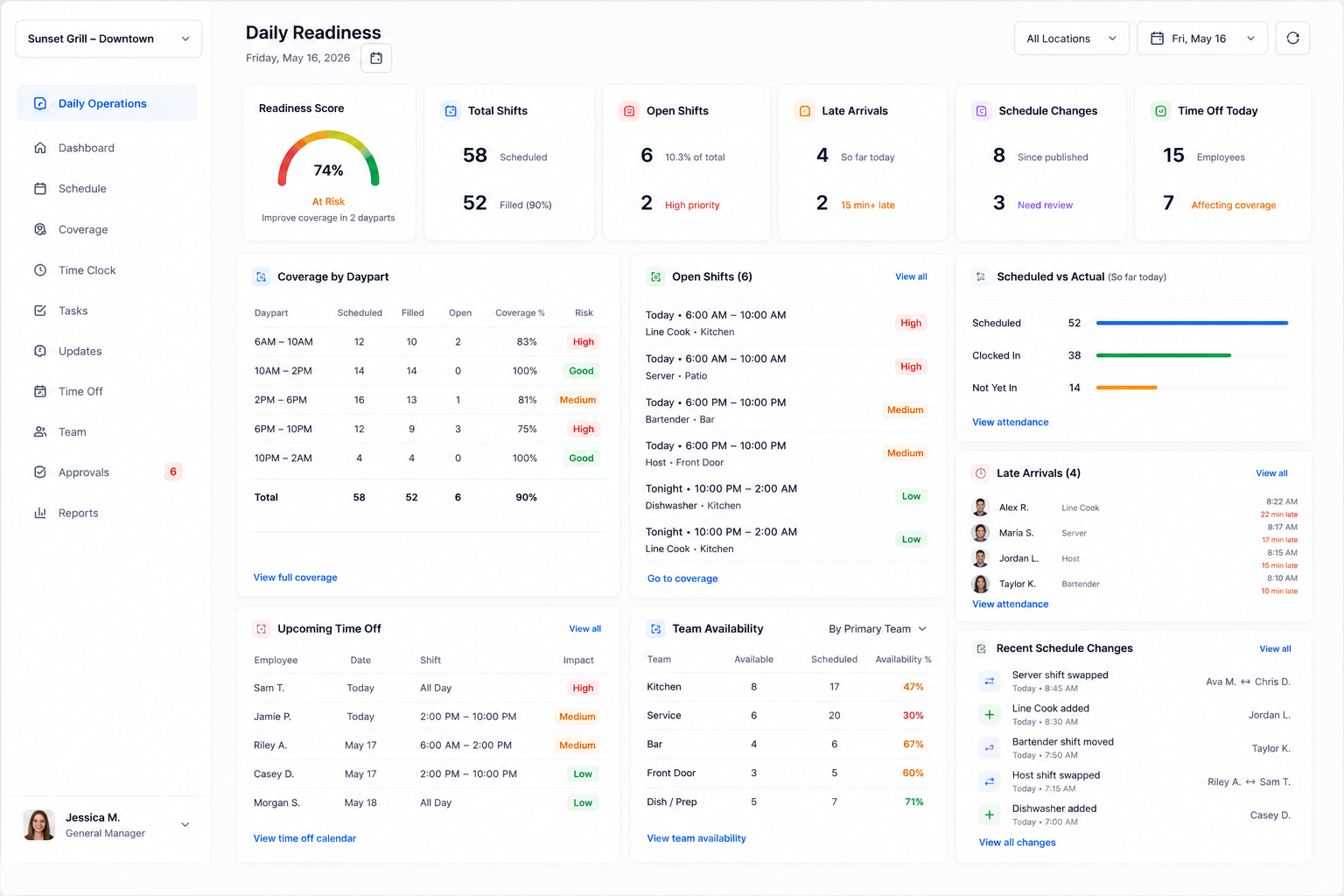
As daily operations software, Shiftaro helps managers review daily readiness across staffing, coverage, attendance, time off, team availability, and schedule changes so they know where the day is stable and where it needs attention.
- ✓See coverage by shift, daypart, team, or location.
- ✓Compare scheduled employees against actual attendance and late arrivals.
- ✓Review upcoming time off, open shifts, availability, and schedule changes before they affect service.
Mobile daily operations
Manage the workday wherever managers are
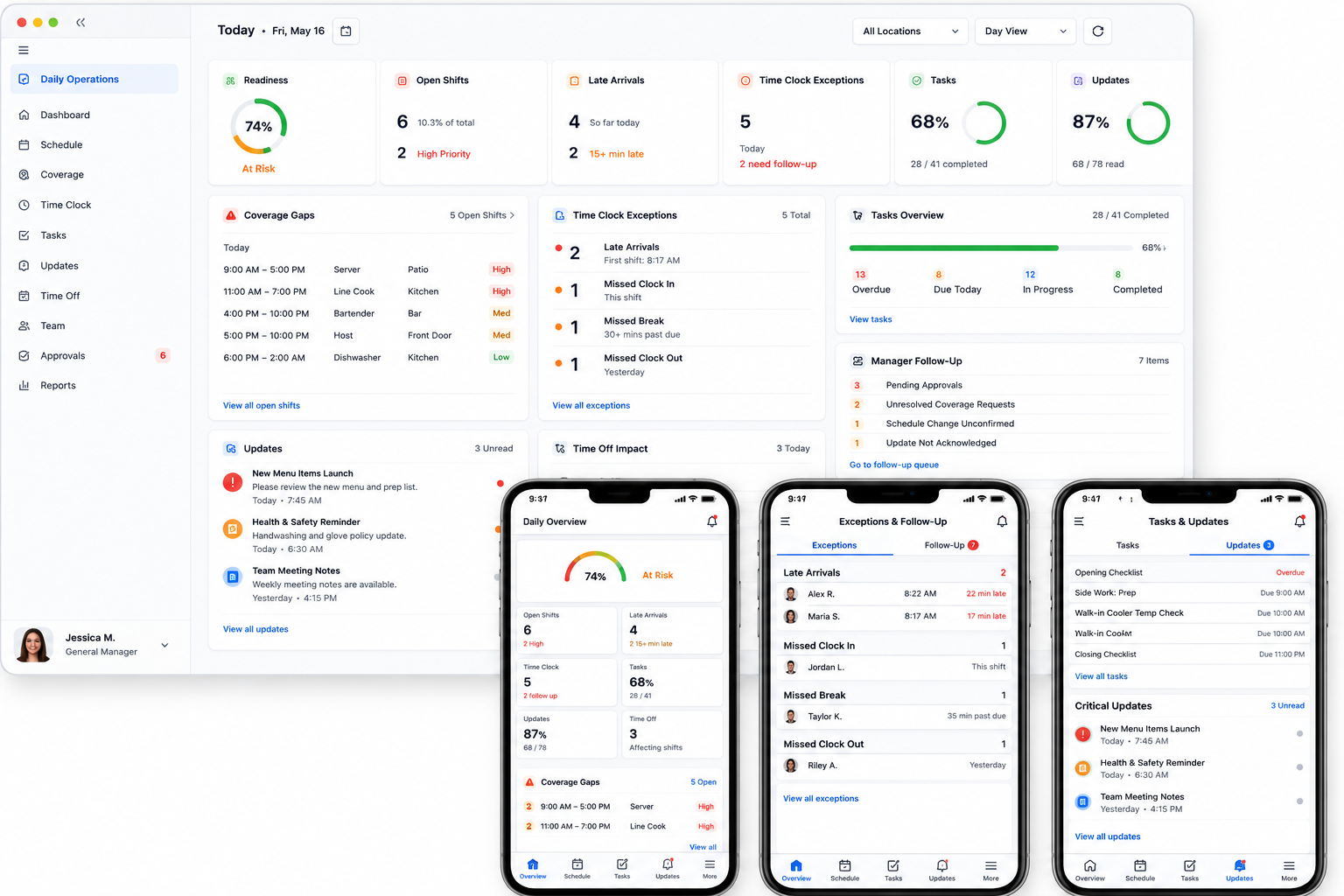
Frontline managers are not always sitting at a desk. Shiftaro gives managers mobile visibility through daily operations software so they can review coverage gaps, respond to exceptions, check task progress, send updates, and follow up with the team in the moment.
Built for the floor, the field, and the office
Keep daily operations moving from a mobile workforce app that connects readiness, coverage, tasks, updates, exceptions, and follow-through.
Execution tracking
Track whether the work actually gets done
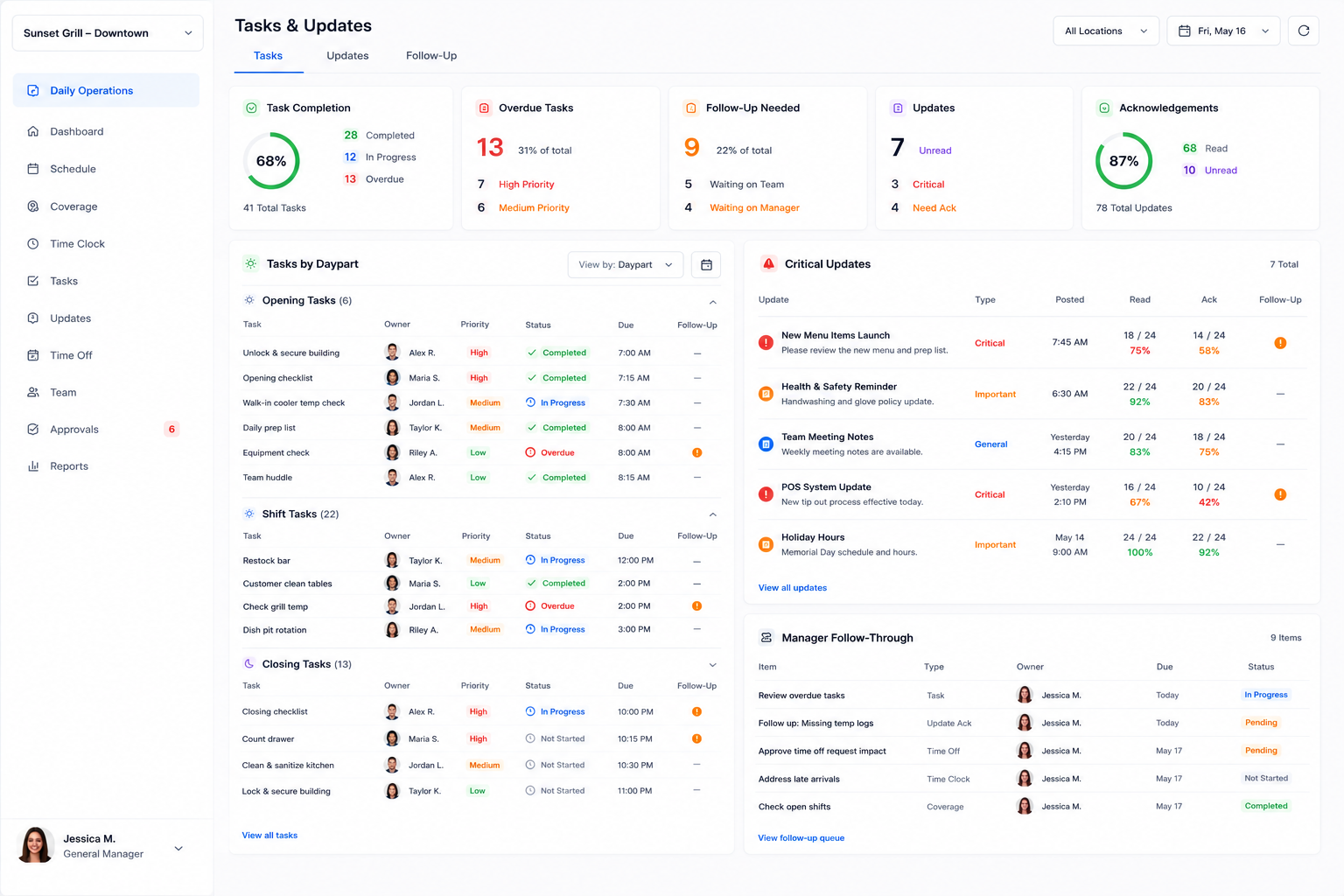
Daily operations software should connect tasks and updates to the workday, not leave them floating in separate tools. Shiftaro helps managers track opening tasks, shift work, closing tasks, critical updates, acknowledgements, and follow-up.
- ✓Track opening, shift, and closing work with owners, status, priority, and due times.
- ✓See overdue tasks, unread updates, missing acknowledgements, and follow-up needed.
- ✓Connect daily updates to real manager follow-through instead of hoping employees saw the message.
Resolution queue
Turn daily issues into clear next actions
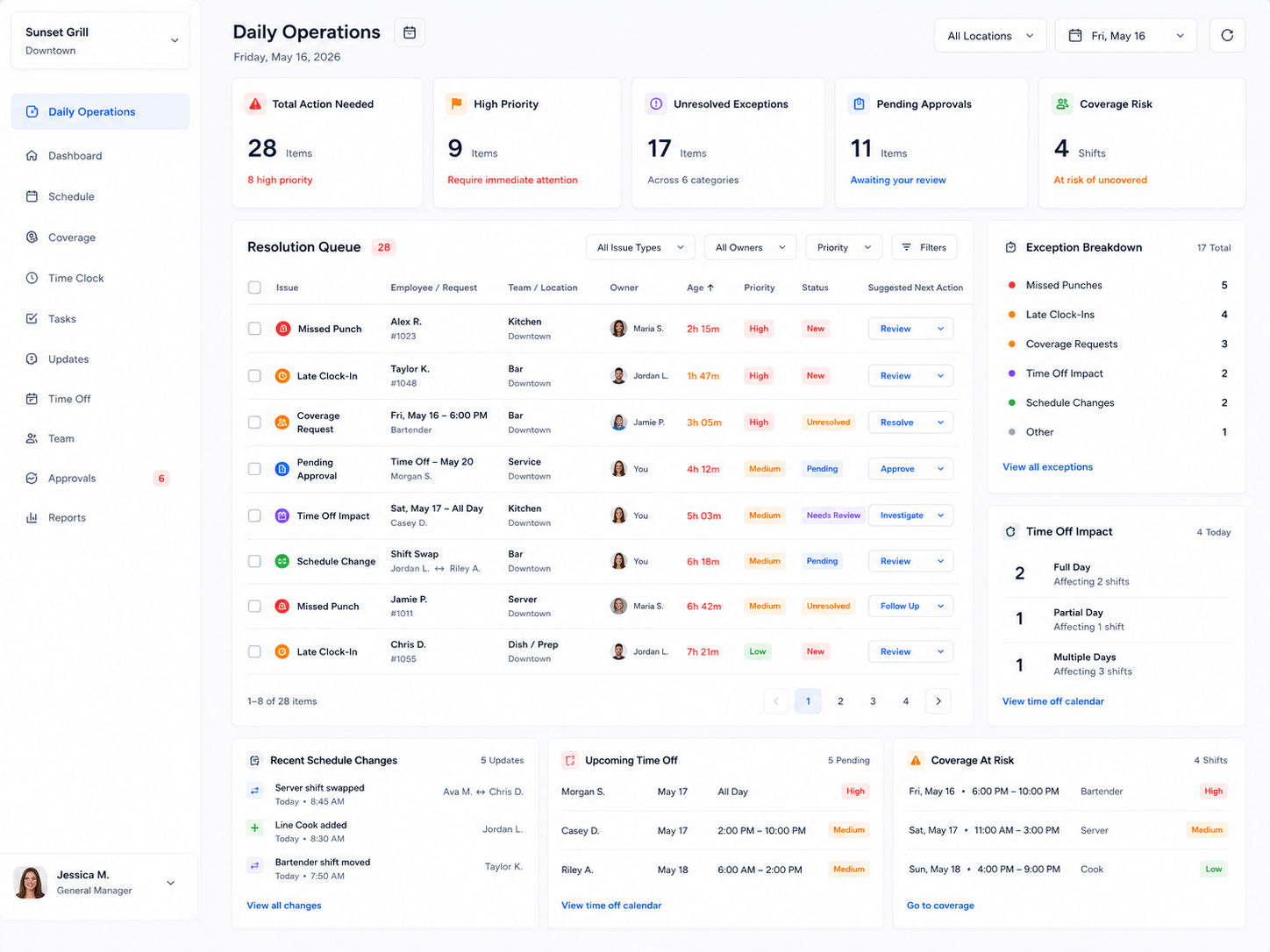
Daily operations software should keep missed punches, late clock-ins, unresolved coverage, pending approvals, time off impact, and schedule changes from sitting in separate systems. Shiftaro gives managers a daily resolution queue with ownership, aging, status, priority, and suggested next action.
- ✓Surface missed punches, late arrivals, open coverage requests, approvals, and schedule changes.
- ✓Assign owners and track age, status, priority, and next action.
- ✓Help managers resolve what matters now instead of finding issues after payroll or service problems appear.
Manager follow-through
See what is resolved, what is waiting, and who owns it
Daily operations software should help teams understand whether issues are actually moving forward. Shiftaro connects daily signals to follow-through so managers and owners can see what is open, assigned, aging, resolved, or still waiting.
Identify the coverage gap, missed punch, late arrival, task, update, or approval that needs attention.
Give the issue a clear manager owner so accountability does not get lost during the shift.
See whether the issue is new, pending, in progress, waiting, overdue, or completed.
Keep history around what changed, who followed up, and what was resolved.
Connected platform
Daily operations connected to the rest of the workforce platform
Daily Operations connects the workday to the rest of Shiftaro: scheduling, coverage, time clock, time off, tasks, updates, approvals, reports, and communication. This gives teams daily operations software that works with the workforce tools managers already need throughout the day.
FAQ
Daily Operations FAQs
What is daily operations software?
Daily operations software helps teams manage the work that needs to happen during the day, including schedules, coverage, attendance issues, tasks, updates, acknowledgements, time off impact, and manager follow-through.
How does Shiftaro help frontline teams run the day?
Shiftaro gives managers daily operations software visibility into what is scheduled, what changed, who is late or missing, what coverage is at risk, what tasks need follow-up, and what updates still need acknowledgement.
Is Daily Operations only for scheduling?
No. Scheduling is part of daily operations, but Shiftaro also connects coverage gaps, time clock exceptions, tasks, updates, acknowledgements, time off impact, approvals, and manager follow-through.
Can managers see daily coverage gaps?
Yes. Managers should be able to see open shifts, uncovered work periods, daypart staffing risk, and coverage requests that still need action.
Can Shiftaro show late arrivals and missed punches?
Yes. Shiftaro can surface time clock exceptions such as late clock-ins, missed clock-outs, missed punches, and unresolved attendance issues so managers can act before payroll cleanup.
Can teams track opening, shift, and closing tasks?
Yes. Shiftaro can help teams track task completion for daily work, including opening checklists, shift tasks, closing checklists, overdue tasks, and manager follow-up.
Can managers see whether employees acknowledged updates?
Yes. Shiftaro can show read and acknowledgement visibility for important updates, announcements, policy changes, and daily operational messages.
Can Daily Operations show time off impact?
Yes. Time off should connect to staffing visibility so managers can see whether approved or upcoming time off creates coverage pressure.
Can Shiftaro help managers prioritize what to fix first?
Yes. Shiftaro can organize daily operational signals into action-needed items such as coverage gaps, late arrivals, overdue tasks, pending approvals, unread updates, and unresolved exceptions.
How is this different from task management software?
Task management software usually focuses on assignments. Shiftaro connects tasks to workforce operations: schedules, shifts, coverage, updates, attendance, approvals, and manager follow-through.
How is this different from workforce reporting software?
Reporting shows patterns and history. Daily Operations focuses on what is happening today and what managers need to resolve during the workday.
Is Daily Operations useful for multi-location teams?
Yes. Multi-location teams can use daily operations software to understand which locations are staffed, which teams are behind, where coverage is at risk, and what managers still need to resolve.
Run the workday before the workday runs away from you
Use daily operations software to keep schedules, coverage, attendance, tasks, updates, acknowledgements, exceptions, and manager follow-through visible in one workforce operating layer.