
Employee Communication App for Shift-Based Teams
An employee communication app should do more than send messages. Shiftaro keeps chat, updates, announcements, acknowledgements, directory, and mobile communication connected in one place.
Use Shiftaro to help employees stay informed, find the right person, respond faster, and keep managers aware of unread messages, pending acknowledgements, and communication follow-up.

Messages Get Missed When Communication Lives in Too Many Places
Shift-based teams often rely on texts, chat threads, verbal reminders, bulletin boards, and one-off announcements. That creates missed updates, unclear follow-up, and no easy way to know who has seen what.
A strong employee communication app gives teams one place for work messages, updates, acknowledgements, directory access, and manager visibility.
Without a connected communication layer, teams deal with:
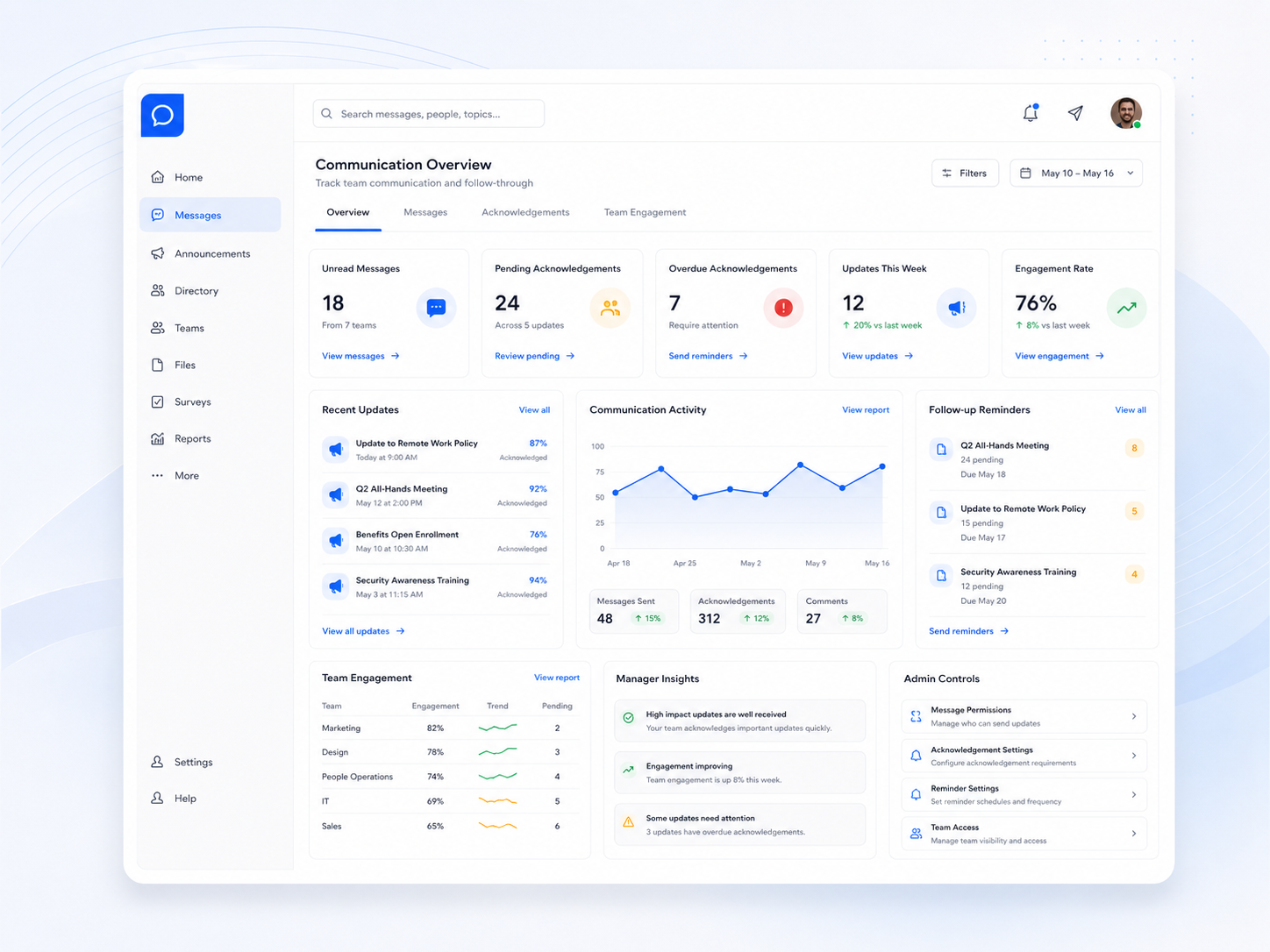
See Everything. Follow Up on What Matters.
Shiftaro gives managers communication visibility across unread messages, recent updates, pending acknowledgements, overdue follow-ups, engagement, and team activity.
Instead of guessing whether a message landed, managers can see what needs attention and follow up before important communication gets missed.
Real-Time Team Chat That Keeps Work Moving
Use team communication software to organize conversations by channel, team, topic, or direct message so employees can ask questions, mention teammates, pin important messages, and stay aligned.
Shiftaro keeps work chat separate from personal texting and connected to the broader communication layer.

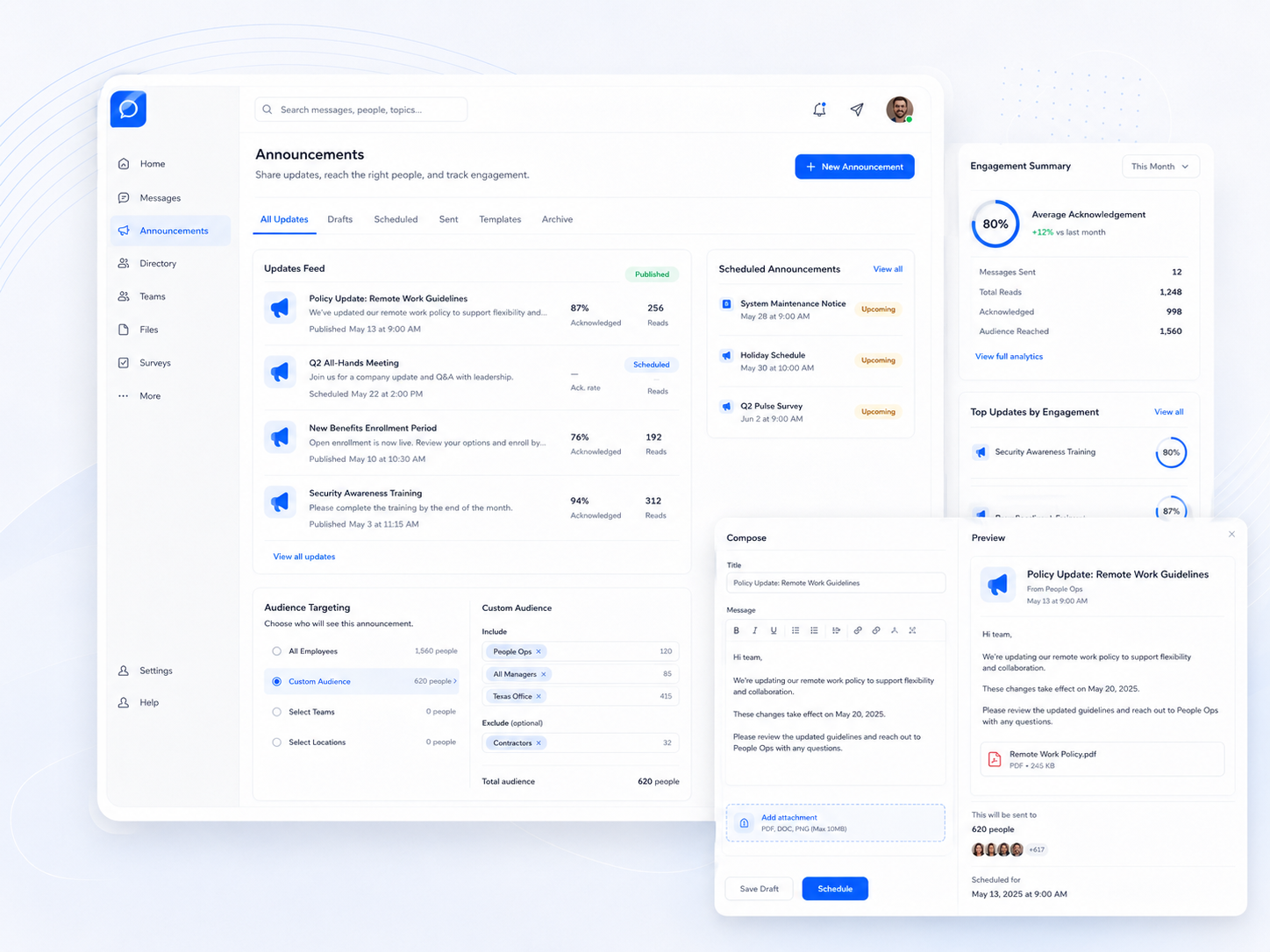
Share Important Updates and Know Who Actually Saw Them
Publish company updates, team announcements, reminders, policy notes, and operational messages with audience targeting, scheduled delivery, read tracking, and acknowledgement visibility.
Shiftaro helps managers move beyond posting announcements and hoping employees saw them.
Find the Right Person Fast
Communication slows down when employees do not know who to contact. Shiftaro’s employee directory helps teams search by name, role, location, department, or team and start the right action quickly.
Employees and managers can view profiles, see status, and use one-tap contact actions like chat, call, email, and profile view.
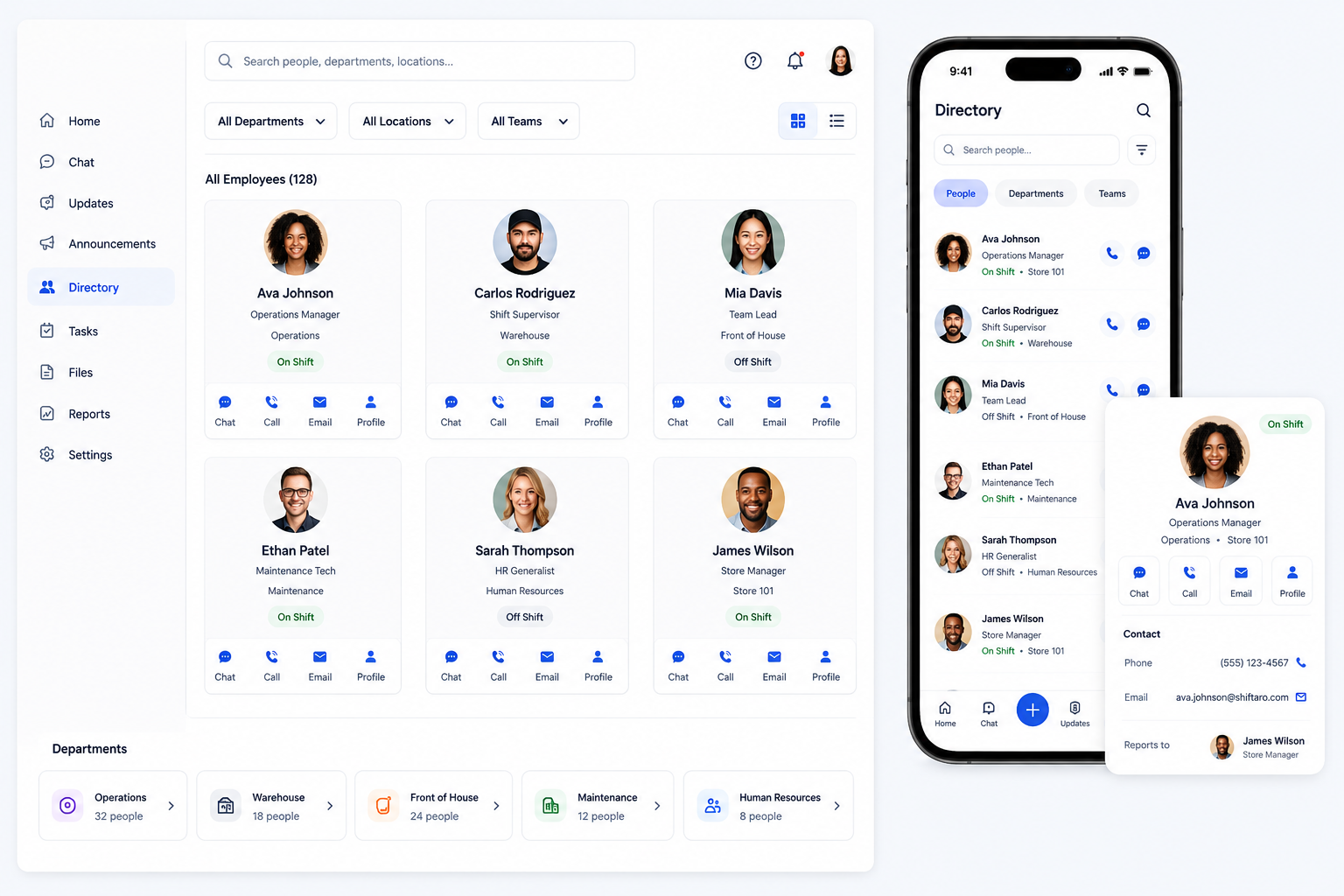

Keep Employees Connected From Anywhere
Employees should be able to see updates, check unread messages, acknowledge important communication, reply quickly, and access the directory from their phone.
Shiftaro gives shift-based teams a mobile employee communication app for staying connected without relying on personal texting or scattered messages.
One Communication Layer for the Workday
Employee communication works best when chat, updates, acknowledgements, directory access, and follow-up visibility are connected instead of scattered across separate tools.
Bring Team Communication Into One Connected Place
Use Shiftaro to keep chat, updates, acknowledgements, directory, mobile access, and manager follow-up connected across the workday.
Communication That Connects Your Entire Operation
Shiftaro keeps communication close to the daily work managers and employees already handle, from chat and updates to tasks, schedules, approvals, and follow-up.
That gives teams one connected operating layer instead of disconnected tools and scattered messages.
Employee Communication App for Teams That Cannot Rely on Desk-Based Communication
Shiftaro helps teams keep communication visible and organized across shifts, locations, departments, and roles.
Give Your Team One Place to Stay Connected
Use Shiftaro to centralize employee communication, team chat, company updates, acknowledgements, directory access, mobile inbox, and manager follow-up.
Employee Communication App FAQs
Quick answers about employee communication app features, team chat, updates, acknowledgements, directory, mobile communication, and manager visibility in Shiftaro.
What is an employee communication app?
An employee communication app is software that helps employees and managers share messages, updates, announcements, acknowledgements, directory information, and mobile communication in one work-designated place.
Is Shiftaro a team communication app?
Yes. Shiftaro includes team communication features such as team chat, direct messages, updates, announcements, acknowledgements, employee directory, mobile inbox, and manager visibility.
Can employees use communication tools on mobile?
Yes. Shiftaro gives employees mobile access to updates, unread messages, acknowledgements, quick reply, team messages, and directory access.
Can managers see who read or acknowledged updates?
Yes. Shiftaro is designed to help managers track read status, acknowledgements, pending follow-up, unread messages, and communication engagement.
How is this different from texting employees?
Texting scatters work communication across personal devices. Shiftaro keeps communication inside a dedicated employee communication app with structure, visibility, directory access, and manager-owned follow-up.
How does Team Communication connect with tasks and updates?
Team Communication keeps employees informed. Tasks and updates help turn communication into follow-through, so managers can connect messages, updates, acknowledgements, and daily work in one place.