
Employee Chat App for Shift-Based Teams
An employee chat app should keep work conversations connected to the teams, shifts, locations, and daily operations they affect.
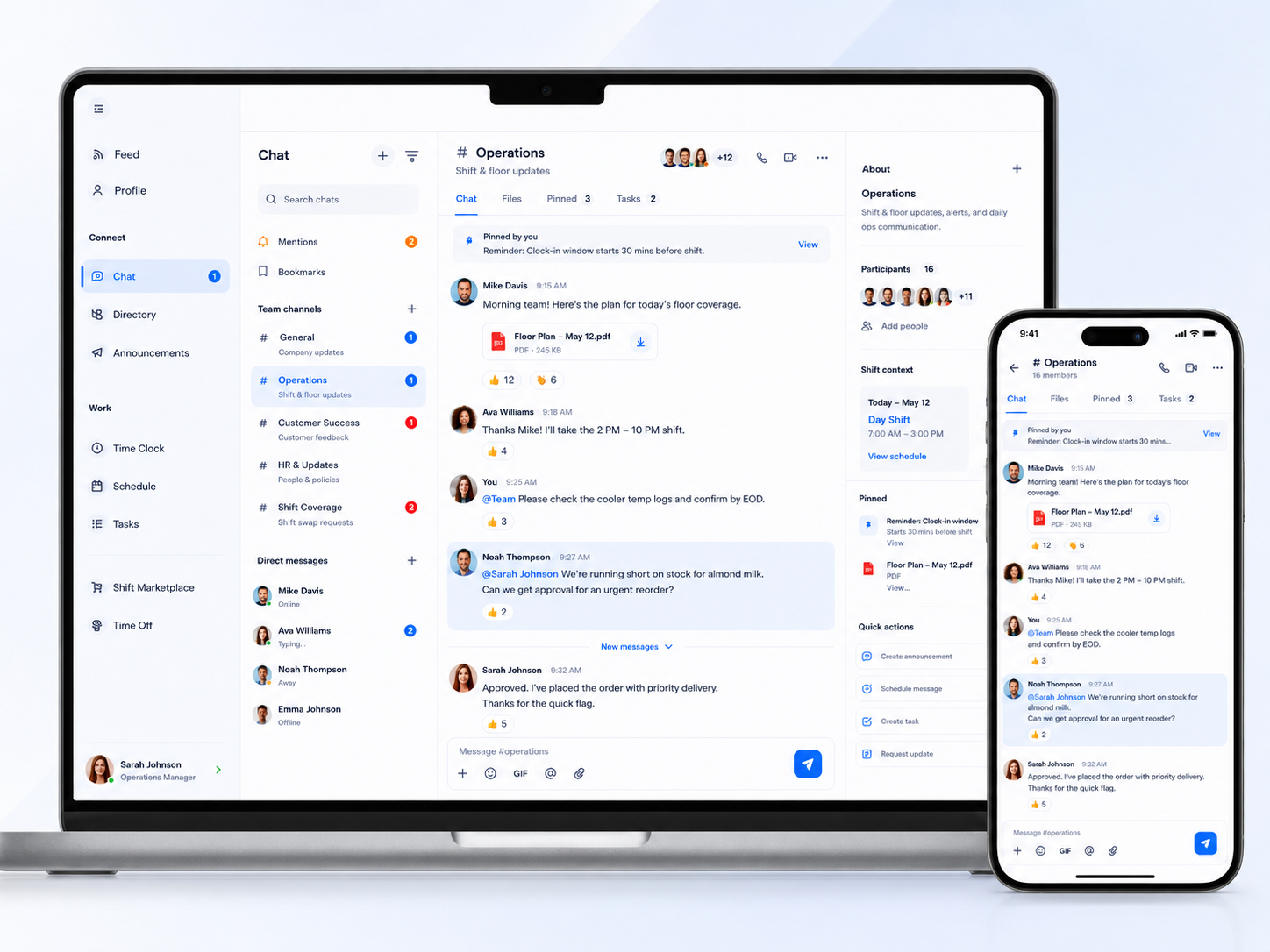
Shiftaro gives shift-based teams a work chat app for team channels, direct messages, unread visibility, file sharing, pinned messages, mobile employee messaging, and manager controls without relying on personal texting.
Work Messages Get Messy When They Live in Personal Texts
Shift-based teams need fast communication, but personal texting creates scattered conversations, lost files, unclear follow-up, and no clean separation between work and personal life.
A strong employee chat app gives employees one place to message their team while giving managers visibility, structure, and controls for work communication.
Without a dedicated work chat app, teams often deal with:
Keep Team Channels and Direct Messages in One Work Place
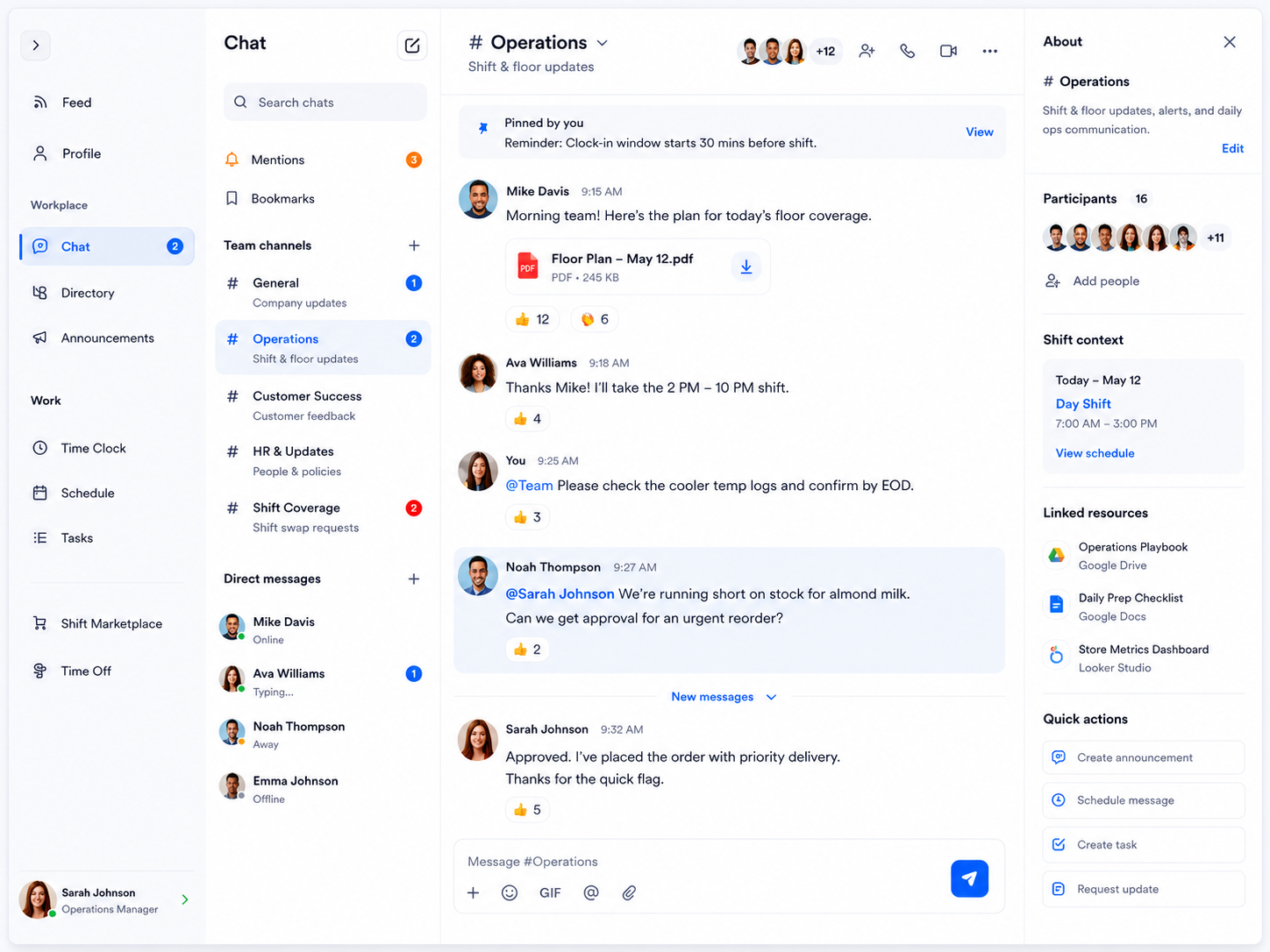
Shiftaro helps teams organize conversations by channel, team, location, shift coverage, operations, and direct messages so work communication does not get scattered across personal apps.
Use the team chat app to share updates, ask quick questions, mention teammates, pin important reminders, share files, and keep chat tied to daily work context.
Give Employees a Mobile Chat App Built for the Workday
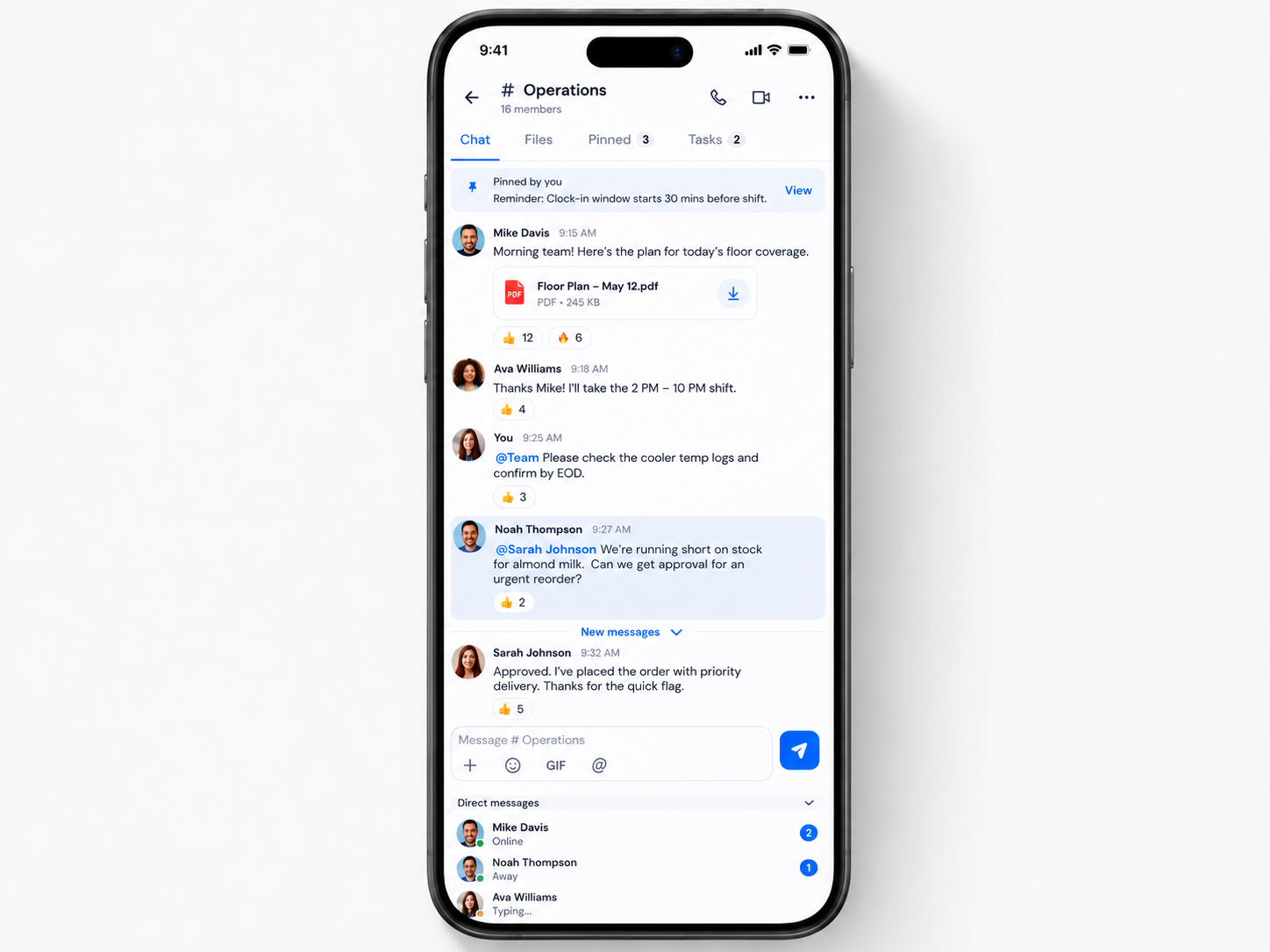
Employees should be able to read team messages, reply to direct messages, share files, see pinned notes, and keep up with shift-based communication from their phone.
Shiftaro gives employees a mobile employee chat app that keeps work messages connected to schedules, tasks, updates, directory access, and daily operations.
Give Managers Control Over How Work Chat Happens
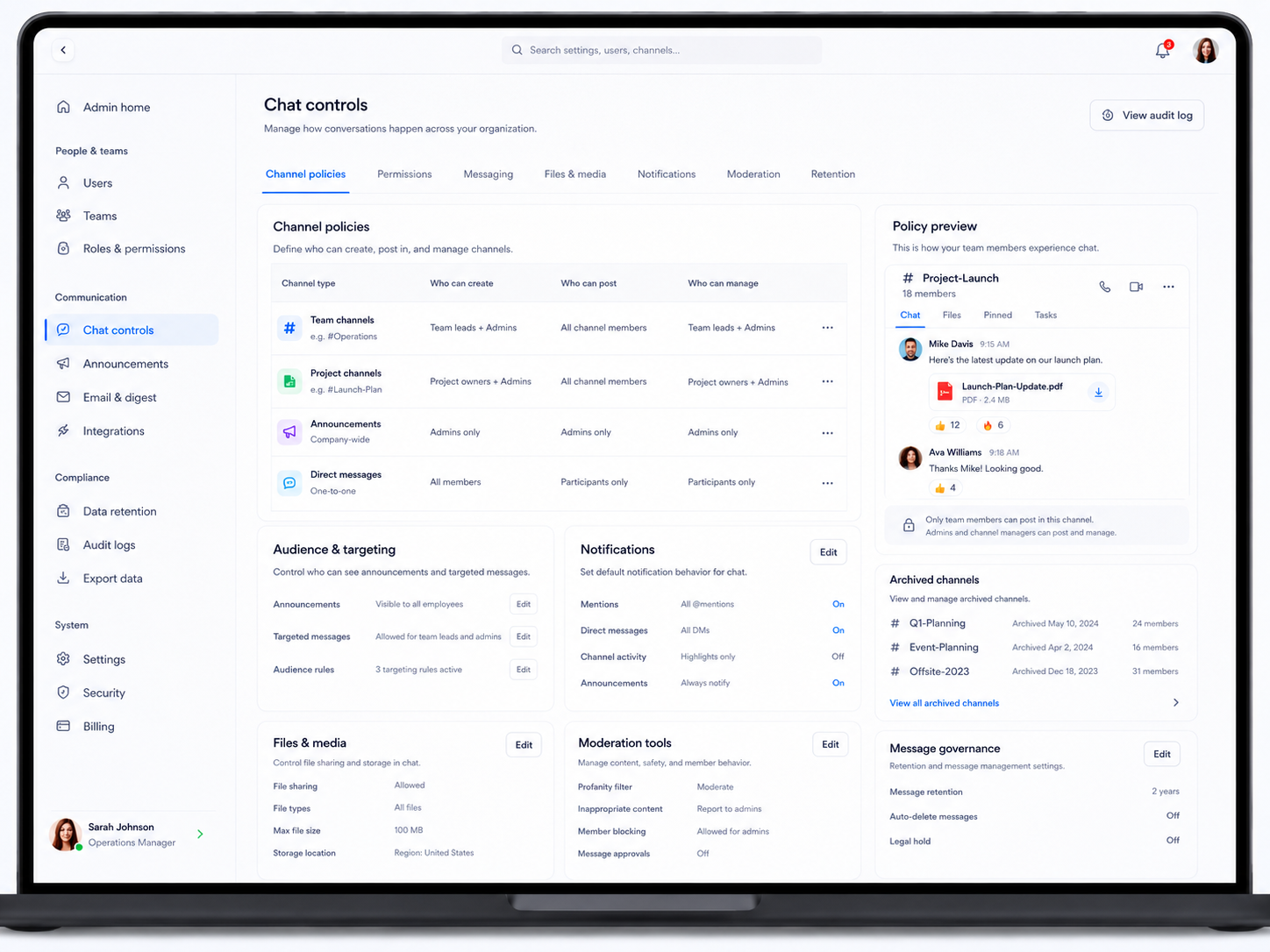
An employee chat app should be fast for employees and manageable for operators. Shiftaro gives admins and managers controls for channels, permissions, messaging behavior, files, media, notifications, moderation, retention, and audit visibility.
That means teams can communicate quickly without turning work chat into another unmanaged text thread.
More Than Messaging: Chat Connected to Daily Operations
Employee messaging works best when it connects to the work managers and employees are already doing. Shiftaro keeps chat close to schedules, coverage, tasks, updates, files, directory, and manager decisions.
Replace Scattered Texts With Work Chat Built for Shift Teams
Give employees a clean employee chat app for team channels, direct messages, files, pinned messages, and mobile communication tied to daily operations.
Chat Works Better When It Connects to the Rest of Shiftaro
Team chat should not be isolated from the workday. Shiftaro connects chat with updates, tasks, schedules, coverage, time off, employee directory, and manager visibility.
That gives teams a communication layer that supports real operations, not just another place to send messages.
Employee Chat App for Teams That Need Fast, Organized Work Communication
Shiftaro helps teams replace scattered texting with an employee messaging app built for day-to-day communication across shifts, locations, roles, and teams.
Give Your Team a Better Way to Message at Work
Use Shiftaro to centralize team chat, direct messages, mobile employee messaging, pinned reminders, shared files, and chat controls in one place.
Employee Chat App FAQs
Quick answers about employee chat app features, team chat, direct messages, mobile messaging, manager controls, and work communication in Shiftaro.
What is an employee chat app?
An employee chat app is a work messaging tool that lets employees and managers communicate through team channels, direct messages, mentions, files, pinned messages, and mobile conversations without relying on personal texting.
Is Shiftaro a team chat app?
Yes. Shiftaro includes a team chat app experience for shift-based teams, with channels, direct messages, unread visibility, shared files, pinned reminders, and workday context.
Can employees use chat on mobile?
Yes. Shiftaro gives employees a mobile employee chat app so they can read messages, reply to direct messages, follow team channels, see pinned notes, and stay connected during the workday.
Can managers control who can start chats?
Shiftaro is designed to support chat controls for channel policies, permissions, messaging behavior, file sharing, notifications, moderation, retention, and audit visibility.
How is this different from texting employees?
Texting mixes work and personal communication. Shiftaro keeps work chat inside a dedicated employee messaging app with team structure, manager visibility, shared context, and access controls.
Can chat connect with schedules, tasks, and updates?
Yes. Shiftaro is built as a connected operating layer, so chat can sit alongside schedules, tasks, coverage, updates, directory, and daily operations.