Employee Availability Guide: 7 Proven Ways to Prevent Scheduling Chaos
Employee Availability Guide: 7 Proven Ways to Prevent Scheduling Chaos
A practical guide for collecting employee availability, handling changes, preventing avoidable scheduling conflicts, and creating one reliable source for every manager.
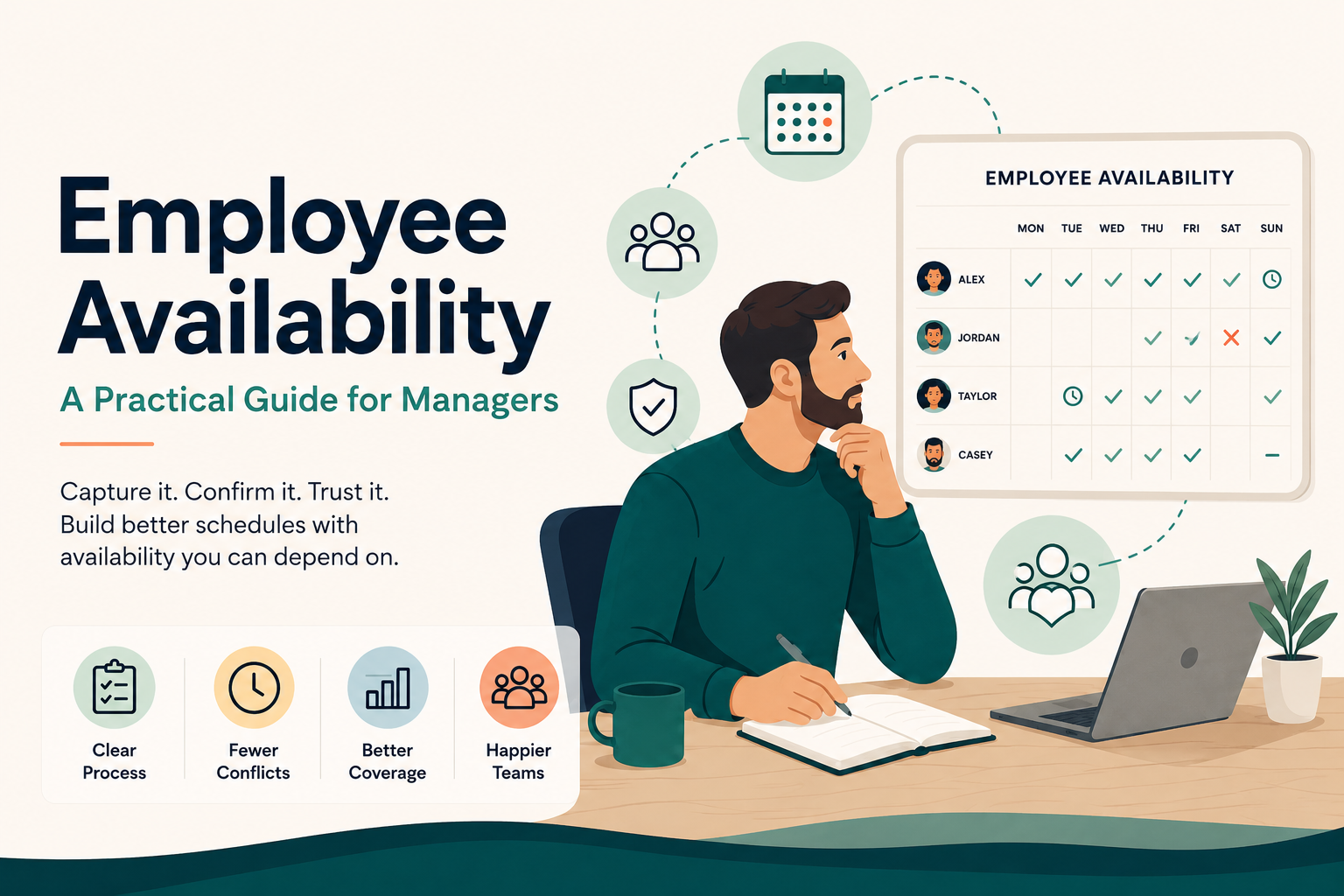
Employee availability is the recurring days and times a person can work. This employee availability guide explains why the process breaks down when changes are scattered across texts, paper forms, spreadsheets, and manager conversations. Use one official submission process, require an effective date, confirm approval, and keep one trusted source visible while building the schedule.
In this guide
- What employee availability means
- Why the process gets messy
- The Single Source Rule
- Availability vs. preferences vs. time off
- The Employee Availability Decision Ladder
- What managers should collect
- How to collect availability
- How to handle changes
- How much notice to require
- How often to review availability
- The Availability Reset
- Using availability in the schedule
- Common mistakes
- Manager checklist
- Sample policy
- Real-world workflow
- Free resources
- How Shiftaro helps
- Frequently asked questions
Employee availability guide: what does availability mean?
Employee availability is the recurring schedule of days and times an employee is able to work. It tells a manager when the employee can realistically be assigned—not necessarily when the employee would prefer to work or whether the employee should receive a particular shift.
A useful availability record may include available days, earliest start times, latest end times, recurring unavailable periods, maximum days or hours, and the date a new pattern takes effect.
For example, “available Monday through Thursday after 4:00 p.m.” is availability. “Prefers closing shifts” is a preference. “Needs October 10 off” is a time-off request. Mixing these together is one of the fastest ways to make scheduling confusing.
Why managing employee availability becomes so messy
The difficulty is rarely the first form. The difficulty is keeping the information accurate after real life starts changing.
Life changes
School semesters begin. Childcare arrangements change. A second job adds new hours. Transportation changes. Sports seasons start. Medical appointments become recurring. An employee who was open every Friday may suddenly be unavailable after 5:00 p.m.
These are normal workforce changes. The problem begins when the business has no reliable way to capture the change, decide when it starts, and make sure every manager uses the same version.
Updates come through everywhere
Each method may feel harmless. Together, they create duplicate records, forgotten updates, unclear approval, and managers building schedules from different information.
That is the “yep, that happened to me” moment: the employee believes the manager knows, the manager believes someone else updated it, and the conflict appears only after the schedule is posted.
The Shiftaro Single Source Rule
The Single Source Rule
Choose one official place where approved availability lives and require every permanent change to end there.
If managers have to search for availability, the process is already too complicated.
The official source can be a current spreadsheet, an online form connected to a master sheet, or scheduling software. What matters most is that everyone knows:
- where employees submit changes;
- who reviews them;
- when they take effect;
- how approval is confirmed; and
- where the latest approved availability is stored.
A text message can alert a manager that a change is coming. It should not become the permanent record. A paper form can collect the details. It should not remain in a drawer while the schedule is built from an older spreadsheet.
Availability, preferences, and time off are different
Managers need three separate answers: Can this person work? Would this person like the shift? and Is there a specific date the person needs away?
Employee availability
Availability describes the recurring days and times the employee can work.
Scheduling preference
A preference describes what the employee would like, but it is not always a hard restriction.
Time-off request
Time off applies to a specific date or period when the employee would otherwise normally be available.
A simple way to explain it
| Type | What it means | Example |
|---|---|---|
| Availability | When the employee can regularly work | Available after 4:00 p.m. on weekdays |
| Preference | What the employee would like | Prefers closing shifts |
| Time off | A specific date the employee cannot work | Requests October 10 off |
Emily normally works Saturdays. She starts nursing school and will no longer be available after 1:00 p.m. on Saturdays beginning September 1. That is an availability change. If Emily needs one Saturday off for an appointment, that is a time-off request.
The Employee Availability Decision Ladder
In this employee availability guide, availability is the first filter in a good staffing decision—not the entire decision. A person may be available and still be the wrong assignment because of qualifications, another shift, approved time off, overtime, insufficient rest, or workload fairness.
Availability is the first check—not the final staffing decision.
1. Is the employee available?
Start with the approved availability that applies on the shift date. Pay attention to effective dates; an upcoming change should not be applied too early or too late.
2. Is the employee qualified?
Availability does not replace role, skill, certification, location, team, or training requirements.
3. Is the employee free of conflicts?
Check overlapping shifts, time off, other locations, and known commitments before assigning the shift.
4. Does the shift create unnecessary risk?
Review projected weekly hours, daily overtime where applicable, minimum-rest expectations, consecutive days, and workload distribution. For federal background on compensable time and overtime calculations, see the U.S. Department of Labor hours-worked guidance.
5. Is this the best available choice?
Compare the remaining options. The best assignment balances coverage, qualifications, cost, fairness, employee reliability, and operational needs.
What information should managers collect?
Basic employee information
- Employee name
- Location, department, or team
- Job or qualified role
- Submission date
- Effective date
Availability for each day
- Available or unavailable
- Earliest start time
- Latest end time
- Split availability, when relevant
Workload limits
- Maximum hours per week
- Maximum shifts or days
- Minimum or desired hours, labeled as a preference rather than a guarantee
Recurring restrictions
- School or class schedule
- Recurring childcare or caregiving needs
- Regular transportation limitations
- Second-job commitments
- Other recurring constraints the employee chooses to share
Ask employees to enter the hours they can actually work—not the hours they hope to receive. Preferences can be collected separately.
How to collect employee availability
There is no single collection method that fits every workplace. The right choice depends on team size, manager habits, schedule complexity, and how often availability changes.
Paper forms
Good: easy to start and accessible.
Limit: difficult to search, update, and share.
Spreadsheets
Good: inexpensive and flexible.
Limit: version control and manual maintenance.
Text messages
Good: fast for alerts.
Limit: poor permanent record and easily missed.
Good: searchable and documented.
Limit: still disconnected from the schedule.
Online forms
Good: consistent fields and timestamps.
Limit: changes still need review and consolidation.
Scheduling software
Good: availability can be reviewed next to scheduling decisions.
Limit: requires clear setup, rules, and adoption.
The best system is the one your managers actually use consistently. A polished form does not solve the problem if employees still text one supervisor and another supervisor continues scheduling from an old sheet.
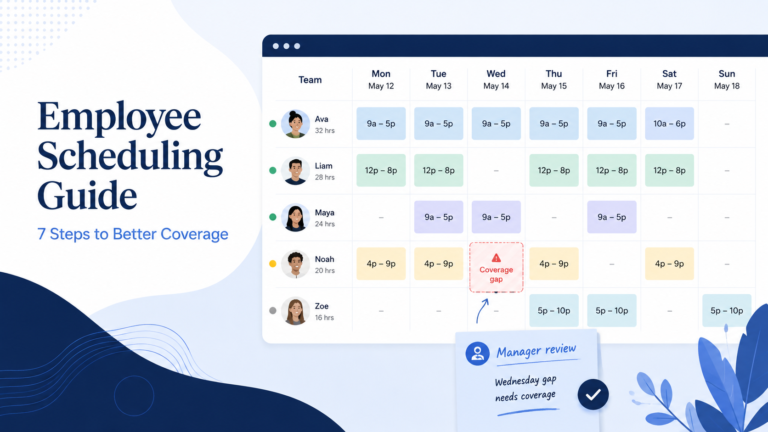
For a deeper look at the scheduling process itself, use our employee scheduling guide.
How to handle employee availability changes
A change process should answer five questions: Where is the request submitted? When does it begin? What does it affect? Who decides? Where is the approved result recorded?
Step 1: Require one official submission method
Employees may alert a manager through conversation or text, but the official request should be submitted through the same process every time.
Step 2: Collect the effective date
“I cannot work Fridays anymore” is incomplete. The manager needs to know whether the change begins tomorrow, after the posted schedule, or next month.
Step 3: Review the impact
Check already-posted schedules, recurring hard-to-fill shifts, employee qualifications, coverage by daypart, and whether another employee can absorb the work without creating overtime or rest issues.
Step 4: Confirm the decision
Employees should receive a clear approved, denied, or modified response. Silence and informal phrases such as “that should be okay” create different expectations.
Step 5: Update the trusted source
After the decision, replace or close out the previous record. The next manager should not have to compare three versions to understand what is current.
Saying “That should be fine” during a conversation and assuming someone else will record the change. A verbal agreement is easy to forget and difficult for another manager to verify.
How much notice should employees provide?
There is no universal notice period that works for every business. The policy should reflect how far ahead schedules are built, operational needs, collective bargaining agreements, employment agreements, and applicable laws. Managers should also review authoritative guidance such as the U.S. Department of Labor FLSA questions and answers, while checking state and local scheduling requirements that may apply.
A practical operational rule is to require permanent availability changes before the next affected schedule is being built whenever possible. A business that posts schedules two weeks ahead may need a different deadline from a business that publishes one week at a time.
Build in a process for urgent changes too. Emergencies and unexpected life changes will happen. The policy should distinguish between a long-term availability change, a specific time-off request, and a last-minute callout that may require the process in our open shift coverage guide.
How often should availability be reviewed?
Do not wait for a conflict to discover that half the team’s availability is outdated. Review availability:
- during onboarding;
- before a new school semester;
- before holiday or seasonal scheduling;
- after a major business-hours change;
- when an employee changes roles or locations;
- after repeated availability-related conflicts; and
- at a recurring interval appropriate for your workforce.
For many shift-based teams, a quick confirmation every three to six months is more useful than a large annual cleanup.
The Availability Reset
The Availability Reset is a simple team-wide refresh before a major scheduling period. It prevents managers from carrying old assumptions into a new season.
Run an Availability Reset
- Send the current availability to each employee.
- Ask them to confirm or update it by a clear deadline.
- Require an effective date for changes.
- Review changes before the next schedule is built.
- Confirm approvals.
- Remove old versions.
- Build the next schedule using the updated information.
This is especially useful before summer, holiday peaks, school-year transitions, major hours changes, or the opening of a new location.
How to use availability while building the schedule
Availability should be visible during schedule creation—not checked after the schedule is already complete.
A strong weekly workflow looks like this:
- Confirm the staffing demand by day, time, location, and role.
- Remove employees who are unavailable or have approved time off.
- Confirm qualifications for the remaining employees.
- Check overlapping assignments and other known conflicts.
- Review projected hours, overtime, rest time, and workload fairness.
- Assign the strongest option and review warnings before publishing.
Availability alone cannot tell you whether a schedule is safe, affordable, fair, or fully covered. It needs to be considered as part of the broader scheduling decision.
Managers using manual methods can start with the free employee schedule builder. Teams that need availability connected directly to the schedule can explore Shiftaro’s employee scheduling software.
Common employee availability mistakes
- Treating preferences as restrictions. “Prefers mornings” should not automatically mean “cannot work evenings.”
- Keeping multiple sources. A paper form, spreadsheet, and manager text thread will eventually disagree.
- Missing effective dates. Managers do not know whether the change affects already-posted schedules.
- Assuming submission means approval. Employees and managers may leave the conversation with different expectations.
- Ignoring qualifications. A list of available names does not prove the shift can be covered correctly.
- Checking availability too late. Discovering conflicts after the schedule is built creates unnecessary rework.
- Never refreshing old records. Managers continue scheduling around restrictions that no longer exist—or overlook new ones that were never recorded.
Employee availability guide checklist for managers
Before collecting availability
- Choose one official submission method.
- Define who reviews requests.
- Separate availability, preferences, and time off.
- Set expectations for effective dates and notice.
When reviewing availability
- Confirm the request is complete.
- Review the effective date.
- Check already-posted schedules.
- Assess coverage and qualified alternatives.
- Communicate the decision clearly.
Before building the schedule
- Use the latest approved source.
- Review approved time off.
- Check qualifications and conflicts.
- Review overtime, rest, and workload risk.
After publishing the schedule
- Make the schedule accessible.
- Document approved corrections.
- Track repeated availability conflicts.
- Plan the next Availability Reset.
A simple employee availability policy
Employees are responsible for keeping their recurring availability current through the company’s official availability process. Availability changes must include the days and times affected and the requested effective date.
Submitting a change does not automatically mean it has been approved. A manager will review the request, consider existing schedules and operational needs, and confirm whether the change is approved, modified, or cannot be accommodated.
Employees should submit permanent availability changes before the next affected schedule is being prepared whenever possible. Requests involving a specific date should be submitted through the time-off process. Unexpected absences or emergencies should follow the callout and shift-coverage process.
Only the latest approved availability in the company’s official record will be used when future schedules are created.
This sample is operational guidance, not legal advice. Adapt it to your workplace, agreements, and applicable requirements.
A real-world availability workflow
Sarah works two Friday closing shifts most weeks. Her childcare arrangement changes, and beginning September 1 she cannot work after 5:00 p.m. on Fridays.
Without a clear process
- Sarah tells one supervisor during a busy shift.
- The supervisor says, “That should be fine.”
- No effective date is recorded.
- The scheduler never hears about the conversation.
- Sarah is scheduled to close on September 6.
- The team begins another round of texts and shift-coverage messages.
With a clear process
- Sarah submits the change from her phone.
- She enters Friday as unavailable after 5:00 p.m.
- She selects September 1 as the effective date.
- Her manager reviews the request.
- The manager sees that Sarah usually works two Friday closing shifts.
- The manager checks whether other qualified employees can cover them.
- The manager approves the request beginning September 1.
- Sarah receives confirmation.
- Her approved availability appears when future schedules are created.
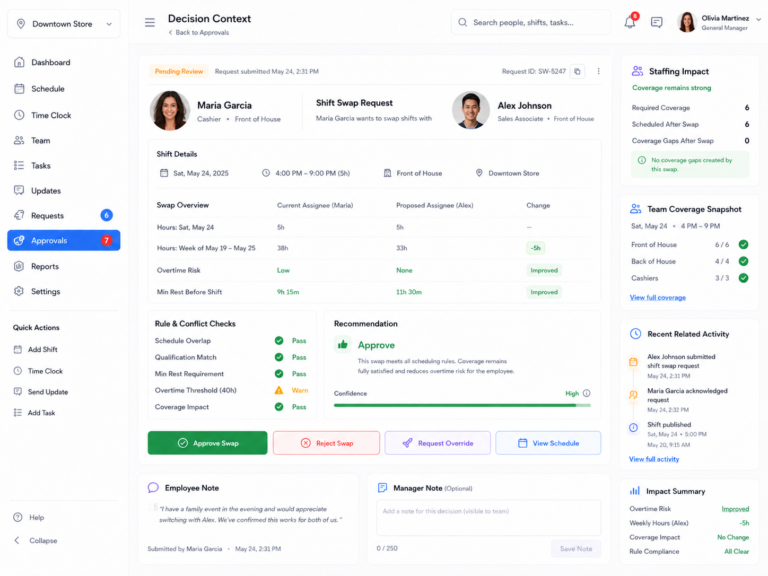
This is the intended Shiftaro workflow: the availability change is not treated as an isolated note. It becomes a manager decision with an effective date, schedule impact, coverage context, and a clear outcome.
Keep employee availability connected to the schedule
Shiftaro is designed to give employees one place to submit availability and managers one place to review changes before they affect the schedule. Instead of searching old messages or comparing spreadsheet versions, managers can make scheduling decisions with the latest approved information and the context around coverage, qualifications, conflicts, overtime risk, rest time, and time off.
Frequently asked questions
What is employee availability?
Employee availability is the regular days and times an employee is able to work. It may include available days, earliest start times, latest end times, recurring restrictions, and workload limits.
How should managers collect employee availability?
Managers can use paper forms, spreadsheets, online forms, or scheduling software. The most important part is using one consistent process and one current source when building the schedule.
How often should employees update their availability?
Employees should update their availability whenever their regular ability to work changes. Managers should also request reviews before school semesters, holidays, seasonal changes, and other major scheduling periods.
Is employee availability the same as time off?
No. Availability describes when an employee can regularly work. Time off applies to a particular date or period when the employee would normally be available.
Is a scheduling preference the same as being unavailable?
No. A preference describes what the employee would like. Unavailability means the employee cannot work during that period.
What should an employee availability form include?
It should include the employee’s name, available days, earliest start times, latest end times, unavailable periods, effective date, recurring restrictions, and any relevant workload limits.
Should employees text availability changes?
An employee may use a text to alert a manager, but the permanent change should still be submitted through the official process. Otherwise, the details may be missed or never added to the scheduling record.
How much notice should employees give for an availability change?
The policy should reflect how far ahead schedules are created, staffing needs, agreements, and applicable laws. A practical approach is to require changes before the next affected schedule is being built whenever possible.
Can a manager deny an employee availability change?
A manager may need to discuss, modify, or decline a request that cannot be accommodated, subject to applicable laws and agreements. The business should use a consistent process and communicate the decision clearly.
Does being available mean an employee should receive the shift?
Not necessarily. Managers should also consider qualifications, overlapping assignments, approved time off, overtime, rest periods, workload fairness, and the needs of the shift.
Related workforce operations guides