
Powerful Employee Task Management Software for Shift-Based Teams
Employee task management software should help managers assign work, track completion, and follow up without relying on paper checklists, texts, or memory.
Shiftaro helps shift-based teams manage shift tasks, quick tasks, task owners, due times, completion status, and follow-up visibility in the same operating layer as schedules, updates, and team communication.
Daily Work Gets Missed When Tasks Are Scattered
In shift-based workplaces, tasks often live in paper checklists, group chats, verbal handoffs, sticky notes, or manager memory.
That makes it hard to know who owns the task, when it is due, whether it was completed, and which missed task needs attention before the shift gets away from the team.
Task execution often breaks down when teams rely on:
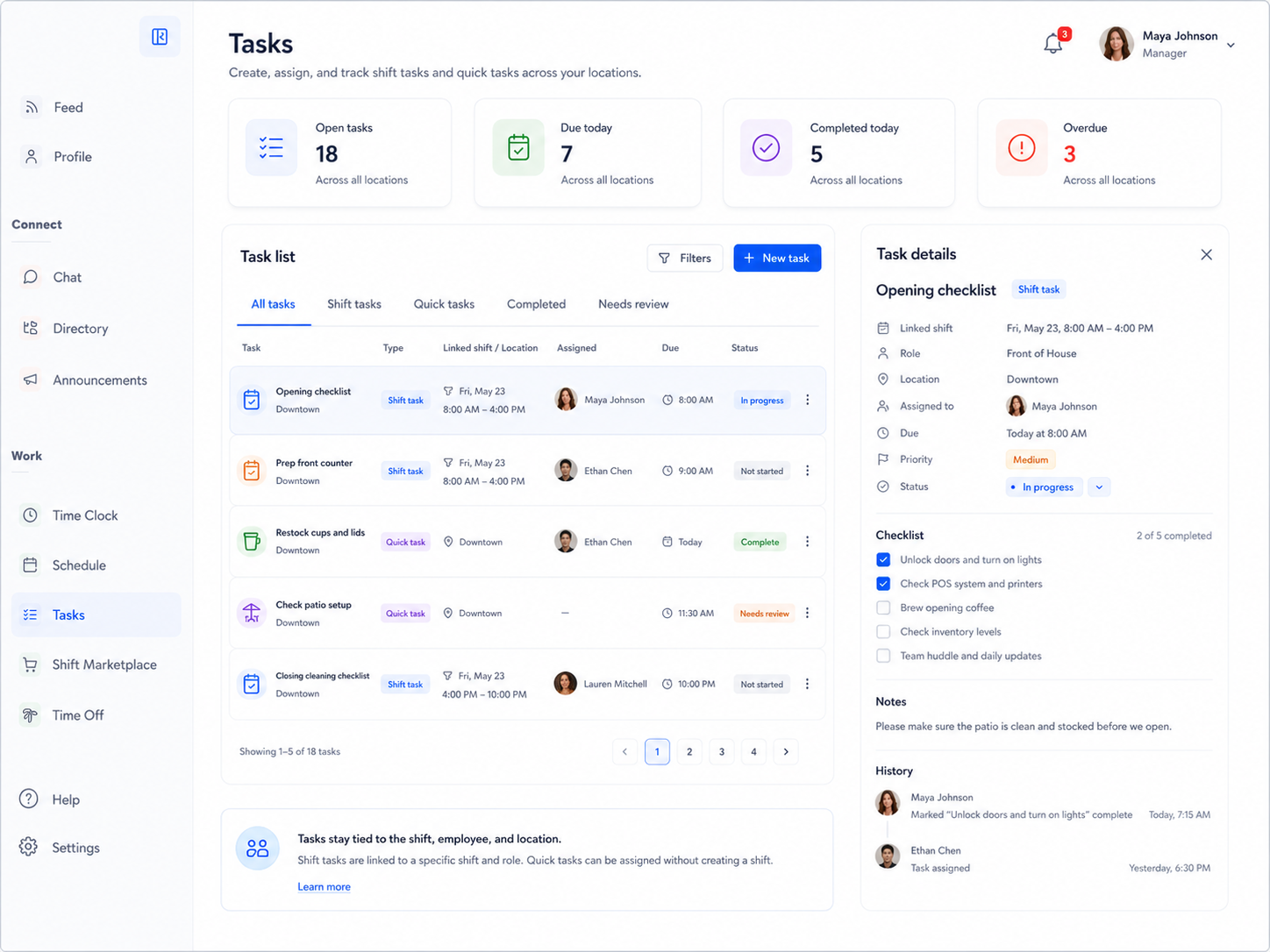
Assign Tasks That Stay Connected to the Shift
Some work only makes sense in the context of a shift, role, location, or team. Shiftaro helps managers create tasks that stay connected to the actual workday.
Use task details, owners, due times, priority, notes, and status to help employees know what needs to be done and help managers know what still needs attention.
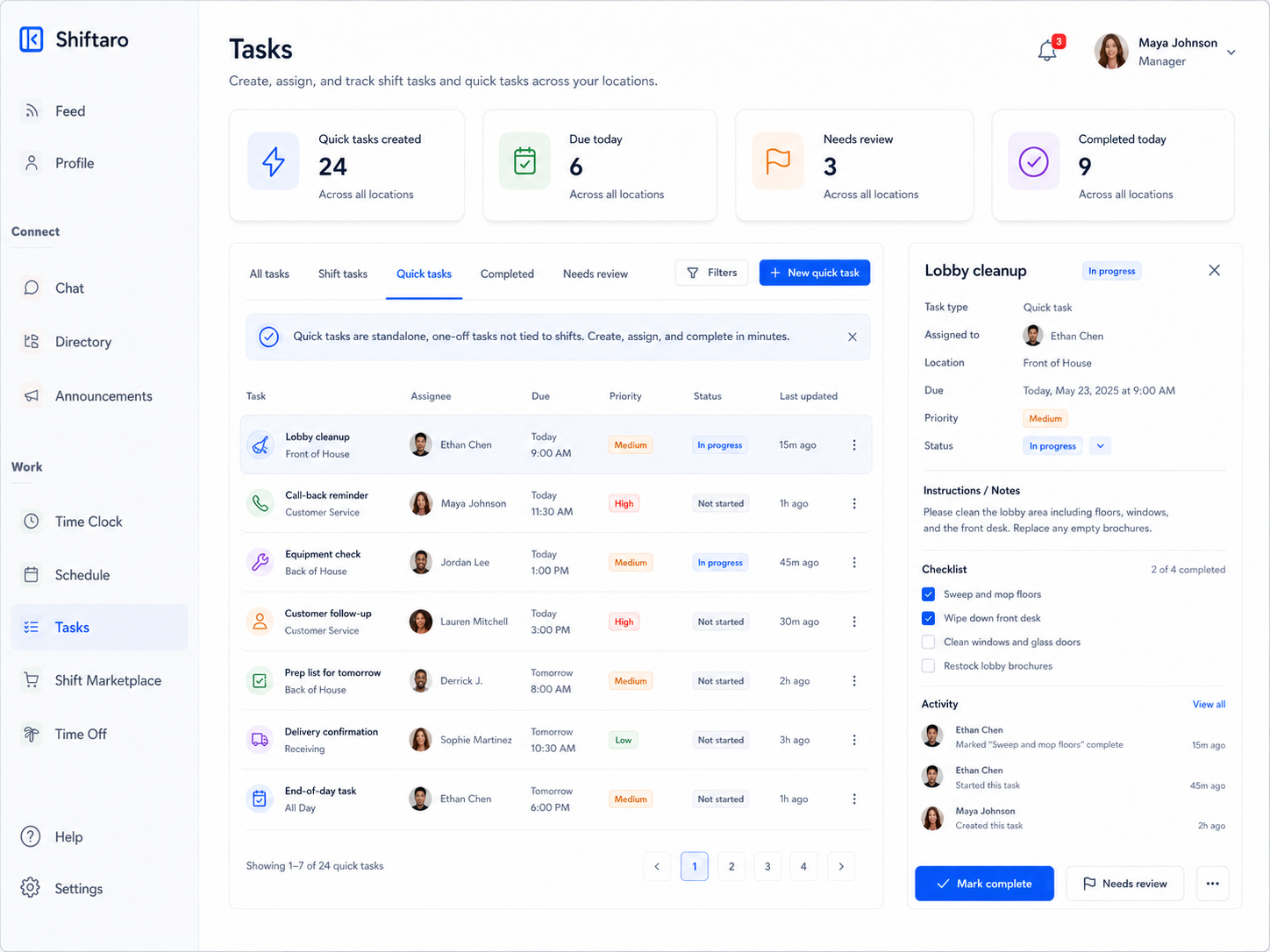
Create One-Off Tasks Without Building a Whole Workflow
Not every task needs to be tied to a shift. Sometimes a manager just needs to assign a quick follow-up, cleanup item, customer request, prep task, or reminder.
Shiftaro supports quick tasks so managers can capture work as it comes up, assign it to the right person, and keep follow-through visible.
Let Employees Complete Tasks From Their Phone
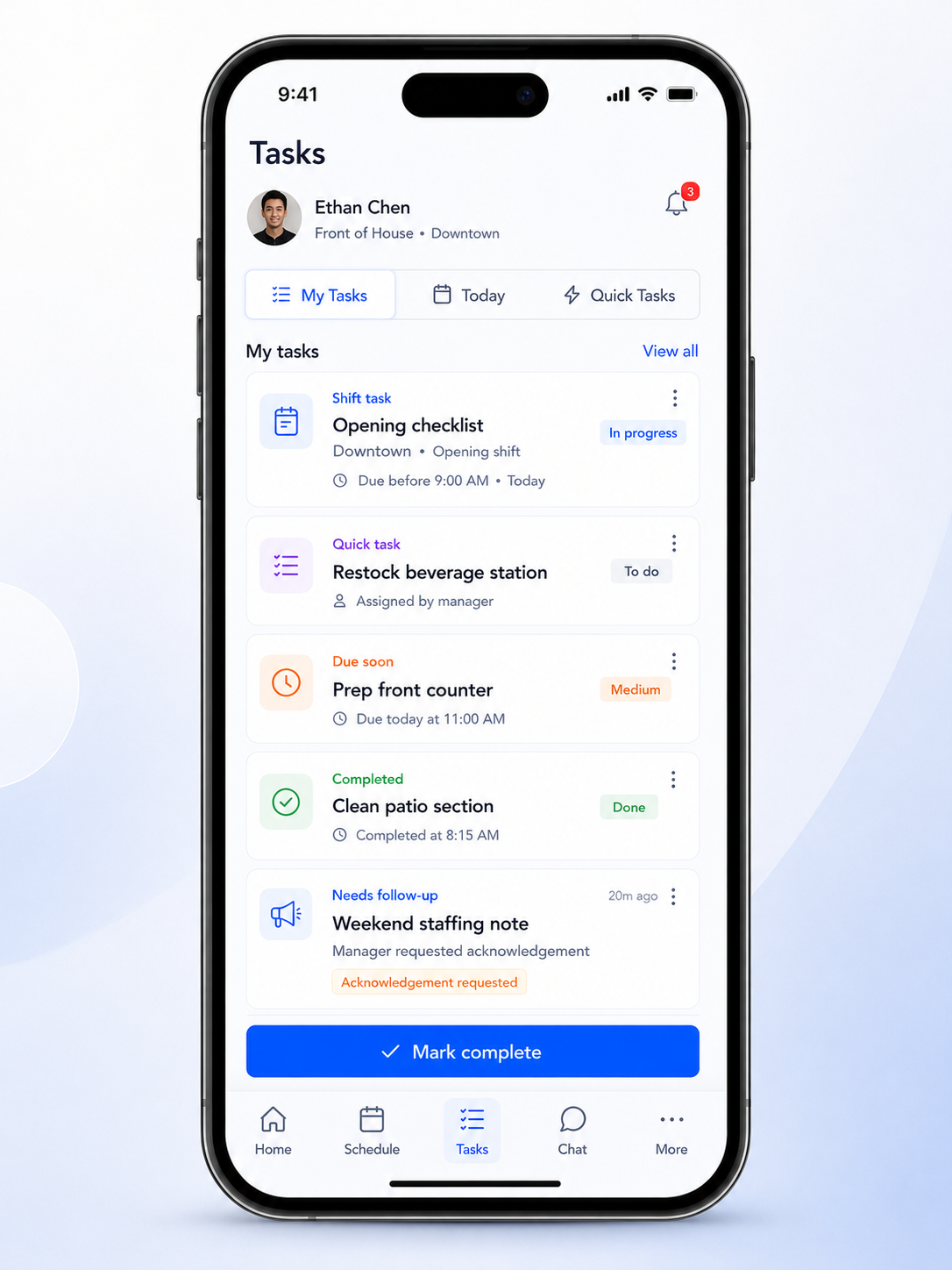
Deskless employees should not need to find a manager, check a paper list, or scroll through messages to know what needs to be done.
Shiftaro gives employees a mobile employee task management app experience where they can view assigned tasks, see due times, mark work complete, track status, and stay aligned from wherever the shift is happening.
Know What Is Open, Done, Overdue, or Needs Review
Employee task management software should not just create assignments. It should help managers understand what is happening across the workday.
Make Daily Task Follow-Through Easier to Manage
Give managers one place to assign tasks, track completion, and follow up before important work slips through the cracks.
Tasks Work Better When They Connect to the Rest of the Workday
Task management is stronger when it connects with schedules, updates, communication, approvals, and manager visibility.
Shiftaro is built as an operating layer for shift-based teams, so task follow-through can sit alongside the other decisions and handoffs that shape the workday.
Employee Task Management Software for Teams That Run on Shifts
Shiftaro helps teams that need daily tasks completed, handoffs visible, and managers aware of what still needs attention.
Run Daily Tasks Without the Scramble
Use Shiftaro to assign shift tasks, create quick tasks, track completion, and give managers a clearer view of daily follow-through.
Employee Task Management Software FAQs
Quick answers about employee task management software, shift tasks, quick tasks, task tracking, and manager follow-up in Shiftaro.
What is employee task management software?
Employee task management software helps managers create tasks, assign owners, add due times, track completion, and follow up on missed work. In Shiftaro, task management is built for shift-based teams that need daily work to stay visible.
What is the difference between shift tasks and quick tasks?
Shift tasks are tied to a shift, role, team, location, or workday. Quick tasks are one-off assignments that managers can create when work comes up and needs to be tracked.
Can employees complete tasks from mobile?
Yes. Shiftaro is designed so employees can see assigned tasks, due times, instructions, and status from the app.
Can managers see overdue tasks?
Yes. Shiftaro is designed to help managers spot open tasks, completed tasks, overdue work, and items that need follow-up.
Is this different from team updates?
Yes. Tasks are for work that needs to be completed. Updates are for announcements, reminders, and communication that employees may need to read or acknowledge.
Does task management connect to scheduling?
Shiftaro is designed as a connected operating layer, so task management can sit alongside schedules, roles, teams, locations, updates, and manager visibility.